Old School RuneScape Mobile and desktop setup

OSRS setup: Mobile, RuneLite, and keybinds

Choose official OSRS Mobile on a phone or tablet for touch play, or use a computer for RuneLite plugins and desktop controls. For a tablet, compare the iPad mini, Galaxy Tab S10 FE, and Redmi Pad 2.

You do not need an iPad Pro just for OSRS.

ClientOfficial OSRS Mobile
Shopping forHandheld or seated play
Last updated

The shortlist

Which OSRS tablet should you buy?

Pick by size and where you will play. Choose by screen and client; OSRS itself is not a reason to seek a high-end tablet.

Handheld: iPad mini. Larger Android screen: Galaxy Tab S10 FE. An 11-inch Android screen: Redmi Pad 2. An 11-inch iPad only makes sense if you also need it for work.

Buying through our Amazon links costs you nothing extra and helps keep MMOSetup free. As an Amazon Associate we earn from qualifying purchases.

iPad mini
Travel and handheld

iPad mini

Our top pick for handheld OSRS

Best for: holding the tablet on the sofa, in bed, or while traveling.

The 8.3-inch screen keeps the tablet compact and the far side of the interface closer than it is on an 11- or 13-inch tablet. Skip it if small text is already the reason you want to leave your phone.

Exact listing: A17 Pro, 128GB Wi-Fi. Check the generation and storage before ordering.

Check the iPad mini on Amazon Why the mini is the handheld pick
Larger Android screen

Samsung Galaxy Tab S10 FE

Larger-screen Android option

Best for: a larger Android screen, especially when the tablet will sit on a stand.

Pick the Galaxy Tab S10 FE 128GB Blue if you want more screen than the mini and prefer Android. If you want a wiki or video beside the game, check split-screen behavior before paying for the larger display. Skip it if you want a compact handheld or don't need its extra capacity.

Exact listing: 11-inch, 128GB Wi-Fi, Blue. That storage tier is for your other apps and files, not an OSRS requirement.

Check the Galaxy Tab S10 FE on Amazon Check the split-screen setup
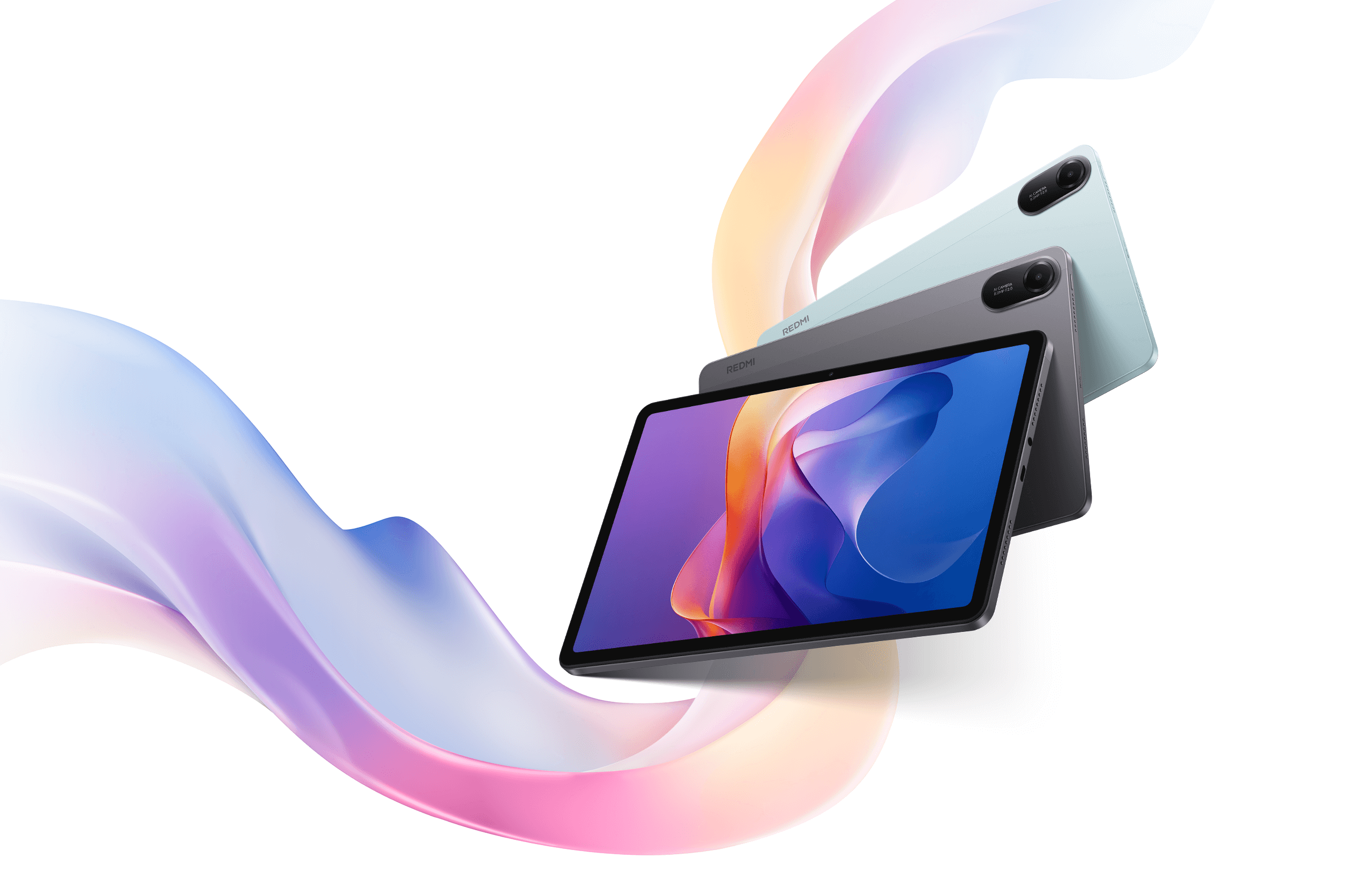
Xiaomi Redmi Pad 2 tablet in Graphite Gray
11-inch Android

Redmi Pad 2

11-inch Wi-Fi option

Best for: using an 11-inch Android screen for OSRS Mobile.

The linked option is a 4GB/128GB Wi-Fi Global ROM configuration. Confirm the selected model, memory, storage, regional support, and included charger before ordering.

Configuration shown: 11-inch Wi-Fi, 4GB RAM, 128GB storage, Graphite Gray. Confirm these details in the selected listing.

Check the exact Redmi Pad 2 listing Review the configuration checks

We chose these on fit, specs, and listing checks. We have not benchmarked them in OSRS.

iPad

What is the best iPad for OSRS?

The iPad mini (A17 Pro) is the best iPad for most OSRS Mobile players who hold the tablet while they play.

It runs the official app, not RuneLite. In your hands, the 8.3-inch screen keeps inventory and prayer closer than an 11-inch panel does. Skip it if small text is already a problem. The iPad mini card above has the exact listing.

You do not need an iPad Pro for OSRS alone. If you want RuneLite plugins, read can RuneLite run on a tablet and play on a computer instead. For stands, keyboards, and touch limits, use the OSRS tablet keyboard guide.

Client limit

Do you need OSRS Mobile or RuneLite?

Buy a tablet for official OSRS Mobile. If you need RuneLite plugins, play on a computer instead. A keyboard case does not change the client.

Read the RuneLite-on-tablet guide

Choose by use

Which tablet size fits the way you play?

Start with where the tablet will sit: in your hands or on a stand. A bigger screen only helps if it fixes a problem you actually have.

Do you hold the tablet while you play?

Start with the iPad mini. The smaller screen gives you less room but shortens the reach between inventory, prayer, and the far side of the display. If the text is too small at your normal settings, move up to an 11-inch screen.

Check the iPad mini listing

Will the tablet live on a stand?

Start with an 11-inch tablet. The Galaxy Tab S10 FE and Redmi Pad 2 are both 11-inch Android options; compare their listed configurations and features. Measure the stand, case, and charging cable together. A large screen is not useful if the holder blocks the port or moves when you tap it.

Do you want OSRS beside YouTube or the wiki?

Check how your second app behaves next to the game before you pick an operating system or screen size. A bigger display helps, but it doesn't guarantee the split you want.

Read the OSRS split-screen guide

Are you buying a tablet only because your phone feels cramped?

Try the current app on a borrowed or returnable tablet before purchasing a new tablet. If the phone's small interface is the whole problem, the Redmi Pad 2 11-inch option may solve it. Extra storage or a work-class processor will not make the touch layout easier to reach.

Compare tablet versus phone

Exception, not a default pick

Should you buy an iPad Pro for OSRS?

Keep the 11-inch iPad Pro in the running only if you already want it for work, drawing, or another demanding app. For handheld OSRS, the mini is easier to justify. For a less expensive large screen, compare the Android picks first.

Exact listing: 11-inch M5, 256GB Wi-Fi.

Skip it if OSRS is the only reason you are shopping.

Keep your current setup when it works

When should you skip buying a tablet?

Skip the purchase for now if:

  • your current phone or tablet runs the official client and the interface is comfortable;
  • desktop plugins are the real requirement;
  • the tablet will stay at a desk where a laptop already does the job;
  • you have not checked the selected model, region, charger, and return terms;
  • the accessory bundle costs enough to erase the saving over the better-fit tablet.

Finish the setup

Which accessories are worth buying for OSRS Mobile?

Choose the tablet first. Buy an accessory only when it fixes a problem where you play.

A stand for seated sessions

Check that the holder fits the tablet with its case attached, leaves the charging port accessible, and stays steady when you tap the far corner. A travel cover may be enough for viewing but awkward for repeated taps.

Use the seated AFK setup guide to plan position and charging before choosing a stand.

A keyboard for a specific job

If typing chat is the problem, check that task with a keyboard you already own. Do not buy a keyboard-and-mouse bundle expecting desktop controls.

The tablet keyboard and stylus guide separates typing, touch input, and desktop controls.

A case and charging cable that fit

Match the case to the exact generation and check how much weight it adds before choosing a handheld tablet. At a desk, measure the cable route from the charger to the stand so it does not pull against the connector.

Try your existing charger and cable first.

More guides

Get help with your tablet setup

Installation, controls, and screen layout vary most between devices. Check them here before buying accessories.

Quick answers

What are the common OSRS tablet buying questions?

11-inch Android

Which tablet gives OSRS Mobile an 11-inch screen?

The Redmi Pad 2 is linked as a 4GB/128GB Wi-Fi configuration. Confirm the selected memory, storage, region, and included charger in the listing before ordering.

Check the exact Redmi Pad 2 listing
Handheld fit

Is the iPad mini too small for OSRS?

Not if you want a tablet to hold and the interface is readable at your normal settings. It is a poor fit if small text is already your main complaint. Test inventory and prayer switches before the return window closes.

Check the iPad mini listing
Platform

Is Android or iPad better for OSRS Mobile?

Pick by size, not platform. The iPad mini is the compact handheld pick; the Galaxy Tab S10 FE and Redmi Pad 2 are 11-inch Android options. Both tablet routes use official OSRS Mobile, not desktop plugins.

Storage

How much storage do I need for OSRS?

The Galaxy Tab S10 FE linked here is the 128GB Wi-Fi Blue configuration. OSRS itself does not require choosing that capacity; compare storage for your other apps and files.

Check the exact Galaxy Tab S10 FE configuration

On a computer

Desktop OSRS

Choose a desktop or compatible laptop when RuneLite plugins, multi-window clients, or keyboard-and-mouse controls are the reason you are shopping. Check the current requirements for the client you will run.

On desktop, mouse travel and F-keys replace thumb reach. Start with the OSRS mouse buying and F-key setup guide before adding more hardware. If you already want extra buttons, compare the Naga and Scimitar or the Azeron and Tartarus. For compact numpads, compare the SayoDevice O3C and EPOMAKER EK21 or the EPOMAKER EK21 and Keychron K0 Max.

If you need a computer, the Acer Nitro V 15 is the listed laptop option. For pointer input, the Logitech G502 X LIGHTSPEED is a conventional mouse pick. A wider display option is the LG 34WQ73A-B; check the current manufacturer specifications against your desk and client layout.

For other desktop bottlenecks, see the Steam Deck setup guide, Chromebook and RuneLite guide, OSRS interface scaling guide, multi-client monitor layout and the M32U 4K vs LG 34WQ73A-B comparison, plus the SayoDevice O3C guide, and foot-pedal setup guide.

The Fractured Archive opens Oct 20. The Raids 4 setup notes cover party size, supply rules, and what is still unknown.

For the one-life worlds setup guide, see the OSRS Hardcore Worlds setup guide for familiar controls, UI checks, and Jagex’s published death rules.

For long party or raid voice sessions on a PC, compare open-back headphones and wireless headsets.

For a pedal, vertical mouse, or headset decision, compare Elgato vs iKKEGOL foot pedals, Keychron M5 vs Logitech vertical mice, and PC38X vs HD 560S audio. Check the input rules before using a pedal with OSRS.

Equipment comparisons

Controller and display comparisons

Compare extra controller binds, a 4K multi-client grid, and a 21:9 HUD view.

Before you order

Check the app on your own tablet.

Check installation and controls in the linked guides before you order, then test the app during the return window.

Compatibility and recommendation limits

Updated Oct 19, 2026. The Galaxy Tab S10 FE configuration shown is 128GB Wi-Fi Blue; the Redmi Pad 2 configuration shown is 4GB/128GB Wi-Fi Graphite Gray. The picks rest on specifications, size, and configuration checks; we have not benchmarked these tablets against each other in OSRS. Confirm the selected options in the listings before ordering.

For the one-to-one remapping and macro-rule details, see the OSRS foot-pedal and micro-keypad guide.

We make no price, stock, battery-life, or frame-rate claims. Jagex's requirements and rules and the RuneLite FAQ set the client and input limits.

For a pointer built around OSRS PvM, see our vertical mouse and trackball guide.

Product references: Samsung Galaxy Tab S10 FE configuration, Apple iPad mini specifications, Lenovo Yoga Tab Plus, and OnePlus Pad 3.

For a compact keypad comparison, see the SayoDevice O3C, Wooting UwU, and 20% numpad guide.

Jagex notes that its mobile apps work on many tablets but that the experience may not be optimal. Check touch controls and layout during the return period. See Jagex's tablet guidance.

Plan desktop mouse inputs

For a RuneLite desktop setup, use the mouse keybind visualizer to compare button layouts.

Plan your monitor layout

Compare RuneLite client grids and split-screen layouts using your screen resolution before choosing a monitor. Try the MMO monitor and UI scaling simulator.