We recommend keeping the keyboard, mouse, and interface layout you already know. Jagex has not published a Hardcore Worlds client or UI setup requirement.
The economy is separate and progress stays at the normal pace.
Jagex says each character starts on separate worlds with main-game privileges such as trading and Grand Exchange access, but the economy is separate. There are no XP or drop-rate boosts; progression is at the same pace as normal worlds. Read the Summit overview. The Oct. 5 Jagex recap also discusses the mode.
The announcements give the rules. They do not set a device requirement or confirm client features for Hardcore Worlds.
Inputs
Check your usual inputs before launch.
Before starting the new character, test the keys and buttons you rely on in ordinary OSRS and confirm each still does what you expect. Keep a keyboard fallback for any extra mouse buttons you use.
Keep your usual controls in the same places. Do not use the first Hardcore session to learn a new layout.
Change one binding at a time, check it, and leave the layout alone once it is familiar.
The OSRS mouse and F-key setup guide covers a basic manual layout. Its examples are for ordinary OSRS play; Jagex has not given Hardcore Worlds keybind requirements.
MMOSetup is free and has no ads. If you buy through our Amazon links, you pay the same price and we earn a small cut, which keeps the guides coming. As an Amazon Associate we earn from qualifying purchases.
A new mouse is optional. Keep using the one you have if your current controls work. Equipment cannot prevent character death.
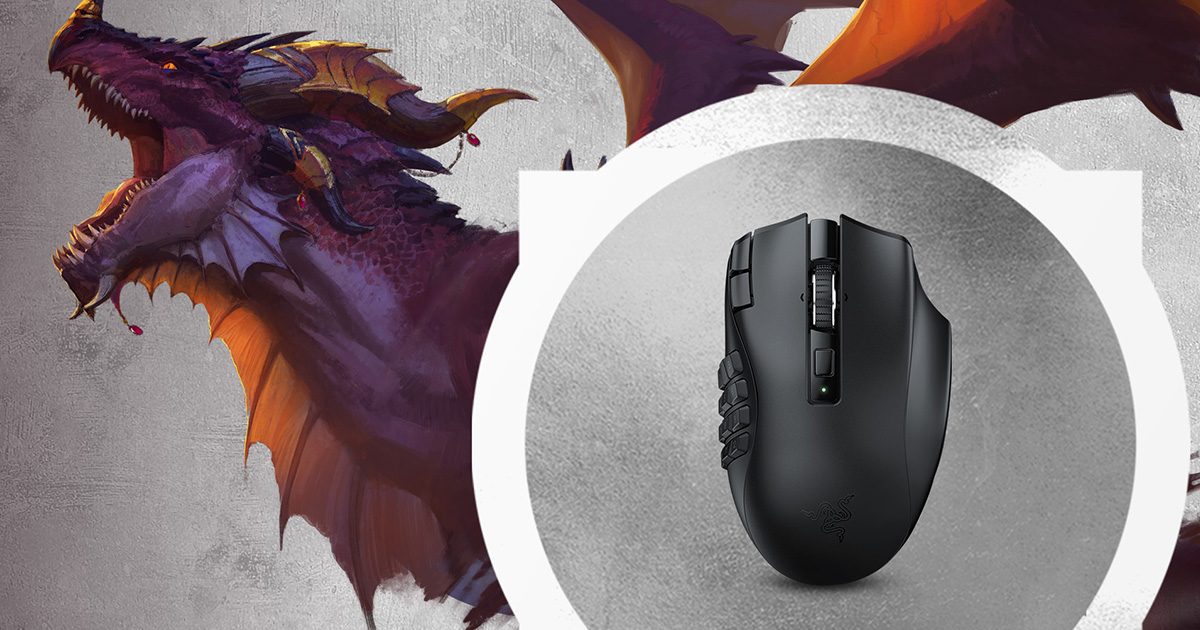
Fixed 12-button grid
Razer Naga V2 HyperSpeed
Its 12 side buttons provide a consistent grid; a button count alone does not show whether you can find the rows.
Use the client and window size you already recognize. Set the interface to a readable scale, check that your usual panels and controls are where you expect, then leave them in place during a dangerous activity. These steps are setup advice. Jagex has not published a client or UI preset for Hardcore Worlds.
If you play on mobile, Jagex says the mobile client focuses on on-screen controls and external keyboards or styluses are not fully supported. Do not make a keyboard case or stylus your only input plan without checking it on your device first. See Jagex’s mobile support guidance.
Check the death-items screen before risking a loadout.
Jagex says you can either reset your progress or leave Hardcore Worlds for the main game. If you transfer, you keep your progress and gear except for items lost on death. Any item on your character outside the usual in-game Items kept on Death category is lost and does not transfer. Jagex’s Summit overview explains the transfer rule.
Jagex says these worlds are slightly more deadly than a normal Hardcore Ironman because they use the Hardcore Group Ironman death rules. Its Summit overview names the Fight Caves, Inferno, and Nightmare Zone as examples of areas where a death counts as unsafe. Treat those as risky under the published rules, even if you remember a different rule from another mode.
Not announced yet
Do not plan around settings Jagex has not named.
The Summit overview and Oct. 5 recap do not specify client support, plugin compatibility, Hardcore-only interface settings, keybind recommendations, or whether a saved layout carries over. The Oct. 3 overview says Jagex planned a dedicated Hardcore Worlds blog.
Until Jagex publishes those details, keep your setup simple and check the linked Jagex news for the current client and world rules. This guide will be revised when Jagex publishes more details.
More OSRS setup
Related guides
Use these for the general OSRS controls and display choices behind this checklist.
Guidance before launch from published Jagex details.
Updated Oct 22, 2026. Jagex’s RuneFest announcements provide the death rules below. The input guidance is our setup advice; Jagex has not published a layout for Hardcore Worlds. This page covers information published for the current client and world rules.
For a correction, use the contact and correction information in our methodology.
Has Jagex published a specific setup for Hardcore Worlds?
No client, keybind, or interface setup requirement is stated in the linked Jagex sources. Check current announcements for updates.
What happens when a Hardcore Worlds character dies?
Jagex says you can reset from the beginning or leave Hardcore Worlds for the main game. On transfer, you keep progress and gear except items lost on death; items on you outside the in-game Items kept on Death category are lost and do not transfer, according to Jagex’s Summit overview.
Are the Fight Caves, Inferno, and Nightmare Zone safe?
Jagex says Hardcore Worlds are slightly more deadly than a normal Hardcore Ironman because they use Hardcore Group Ironman death rules. Its Summit overview names the Fight Caves, Inferno, and Nightmare Zone as examples of areas where a death counts as unsafe.
Which client and interface settings should I use?
The Summit announcement and October 5 recap do not specify a client, recommended keybinds, or Hardcore-specific interface settings. Start with a layout you know and check Jagex’s news for details for the current client and world rules.
Will a keyboard case work with OSRS Mobile?
Jagex says external keyboards and styluses are not fully supported by the OSRS mobile client, which focuses on on-screen controls. The Hardcore Worlds announcement does not give separate support details for these peripherals.