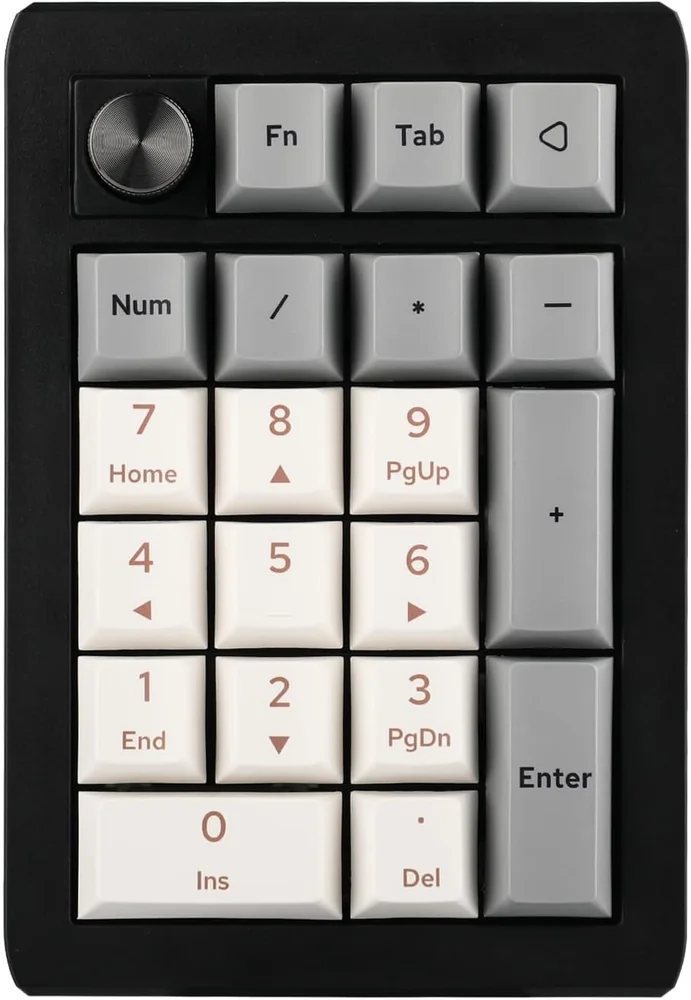
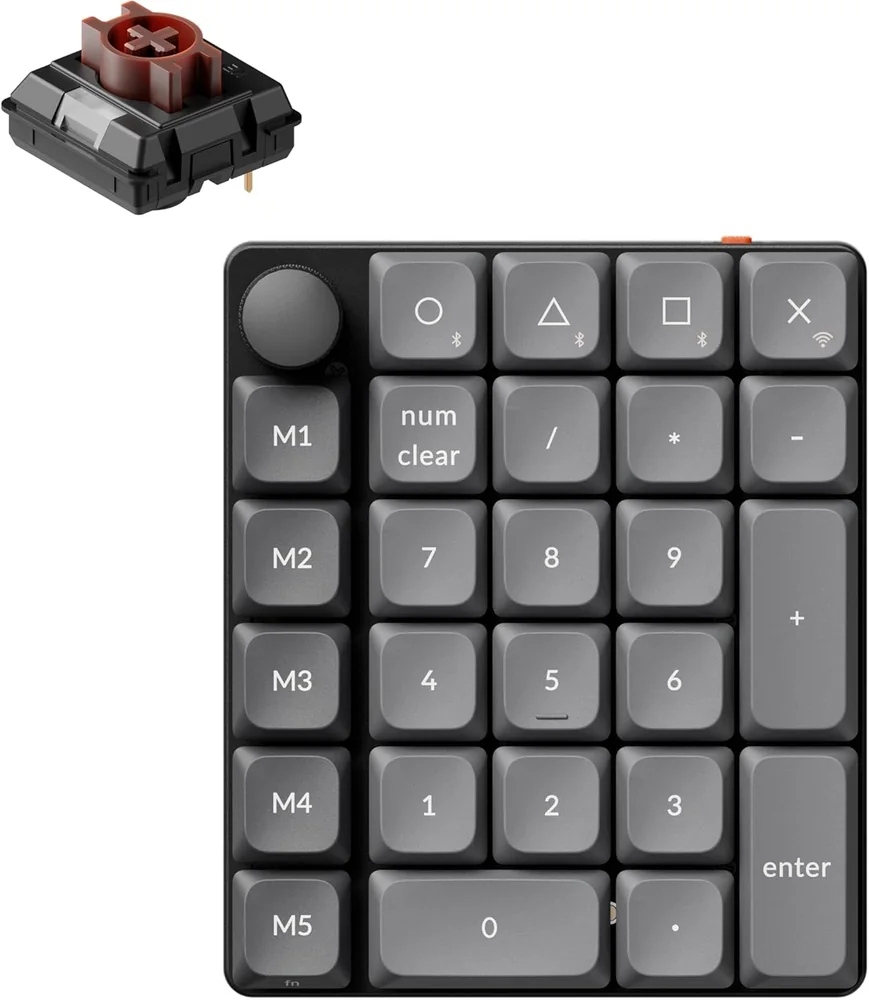
Choose the EK21 if you prefer full-height mechanical switches and a compact four-column numpad. Choose the K0 Max if you want seven more keys, a low-profile layout, and a left-side macro column. Both models have a rotary knob and wireless options.
Last checked
Before orderingConfirm the exact model and platform
Choose by key profile and layout
Both numpads add a knob and wireless connections. The K0 Max has seven more key switches and a lower-profile layout.
Buying through our Amazon links costs you nothing extra and helps keep MMOSetup free. As an Amazon Associate we earn from qualifying purchases.
Best for full-height keys
EPOMAKER EK21 VIA
Choose it if: You prefer a compact four-column numpad, full-height mechanical switches, and an upper-left rotary knob.
Tradeoff: It has 20 keys, seven fewer than the K0 Max, and its listed case height is 29 mm.
Features that change the key map, movement, or connection options.
EPOMAKER EK21 vs Keychron K0 Max decision specs
Feature
EPOMAKER EK21 VIA
Keychron K0 Max
Key switches
20 mechanical keys
27 low-profile mechanical keys
Case and key profile
Full-height mechanical numpad; 93 × 138 × 29 mm
Low-profile; front height 24.14 mm with keycaps, rear 20.18 mm
Wireless
2.4 GHz, Bluetooth, and USB-C wired
2.4 GHz, Bluetooth 5.3, and USB-C wired
Configuration
VIA programmable
QMK firmware and Keychron Launcher
Specs from the manufacturer product and support pages linked below.
Game-specific setup verdict
Old School RuneScape
The EK21 gives you a compact 20-key block for a small group of F-keys and modifiers. The K0 Max adds a left macro column and top row, leaving more key positions for a wider map. Put direct actions where you can reach them consistently; the larger key count does not require filling every key.
RuneScape 3
If your map uses more than a few action-bar keys, the K0 Max’s extra seven switches create more positions before you need a layer. The EK21 keeps the four-column layout and still adds a rotary knob. Both support layers or remapping through their respective configuration tools.
A sample OSRS map can keep Inventory, Prayer, Spellbook, and other frequent F-keys on one row, then put modifiers on stable positions nearby. The EK21 can handle a compact version of that plan; the K0 Max has more places to separate modifiers, menu actions, and F-keys without adding a layer.
What changes between them?
Both pads have a rotary knob.
The EK21 places its knob at the upper left. The K0 Max also has an encoder on its left macro column; both rotary controls are on the left side.
The K0 Max has 27 keys; the EK21 has 20.
That is seven additional key switches, not eight. Keychron lists a 24.14 mm front height with keycaps and 20.18 mm at the rear; EPOMAKER lists the EK21 at 29 mm high.
What you give up either way
EPOMAKER EK21
You give up seven key positions compared with the K0 Max. Its full-height case is listed at 29 mm, and it uses standard mechanical switches rather than low-profile switches.
Keychron K0 Max
You give up the EK21’s full-height, gasket-mounted mechanical layout.
What neither one fixes
Neither pad decides which actions belong on its keys or guarantees that a game will accept a chosen remap. Build the layout around direct inputs you already use, check software compatibility, and leave infrequent actions on the regular keyboard if that is simpler.
Frequently asked questions
Does the Keychron K0 Max have a rotary knob?
Yes. The K0 Max has a rotary encoder on its left-side macro column. The EK21 also has a knob at the upper left. Both rotary controls are on the left side, so knob-side placement is not a difference between the two numpads.
How many more keys does the K0 Max have?
It has 27 keys compared with the EK21’s 20, a difference of seven key switches. The knob is separate from that key count on each device, so the comparison is 27 key positions versus 20, plus one encoder each. The encoder is a separate physical control, not part of either key count.
Which numpad is lower profile?
The K0 Max is the low-profile option. Keychron lists 24.14 mm at the front with keycaps and 20.18 mm at the rear. EPOMAKER lists the EK21 at 29 mm high. Check the complete dimensions and keycap profile if case height matters in your desk setup.
Can both numpads connect wirelessly?
Yes. The EK21 supports 2.4 GHz and Bluetooth; the K0 Max supports 2.4 GHz and Bluetooth 5.3. Both can also connect by USB-C. The K0 Max lists 1,000 Hz polling in wired and 2.4 GHz modes and 125 Hz over Bluetooth.
Which is better for a larger action-bar map?
The K0 Max has seven more key positions, including a left-side macro column and top row. The EK21 keeps a more compact 20-key layout with full-height switches. Neither forces you to use every key; leave room for actions you want to keep on a regular keyboard.