MMO controls · comparison

Corsair Scimitar Elite Wireless SE vs Redragon M913: which should you buy?

The Scimitar's adjustable Key Slider, three connection options, and lower listed weight change the decision. The M913 is the simpler fixed-grid alternative.

The short answer

Choose the Corsair Scimitar Elite Wireless SE if you need its adjustable Key Slider and Bluetooth alongside 2.4 GHz wireless. Choose the Redragon M913 if a charging dock and straightforward 12-button layout fit your desk better than Corsair software and extra adjustment.

Page freshness
Before orderingRecheck the exact configuration

Which setup fits your daily routine?

The Scimitar wins on thumb-panel adjustment, connection options, listed weight, and battery rating. The M913 keeps the same 12-button idea with a fixed grid and a shorter rated battery range.

As an Amazon Associate I earn from qualifying purchases. Affiliate disclosure: MMOSetup may earn a commission from qualifying purchases. Recommendations explain the use case and tradeoff first.

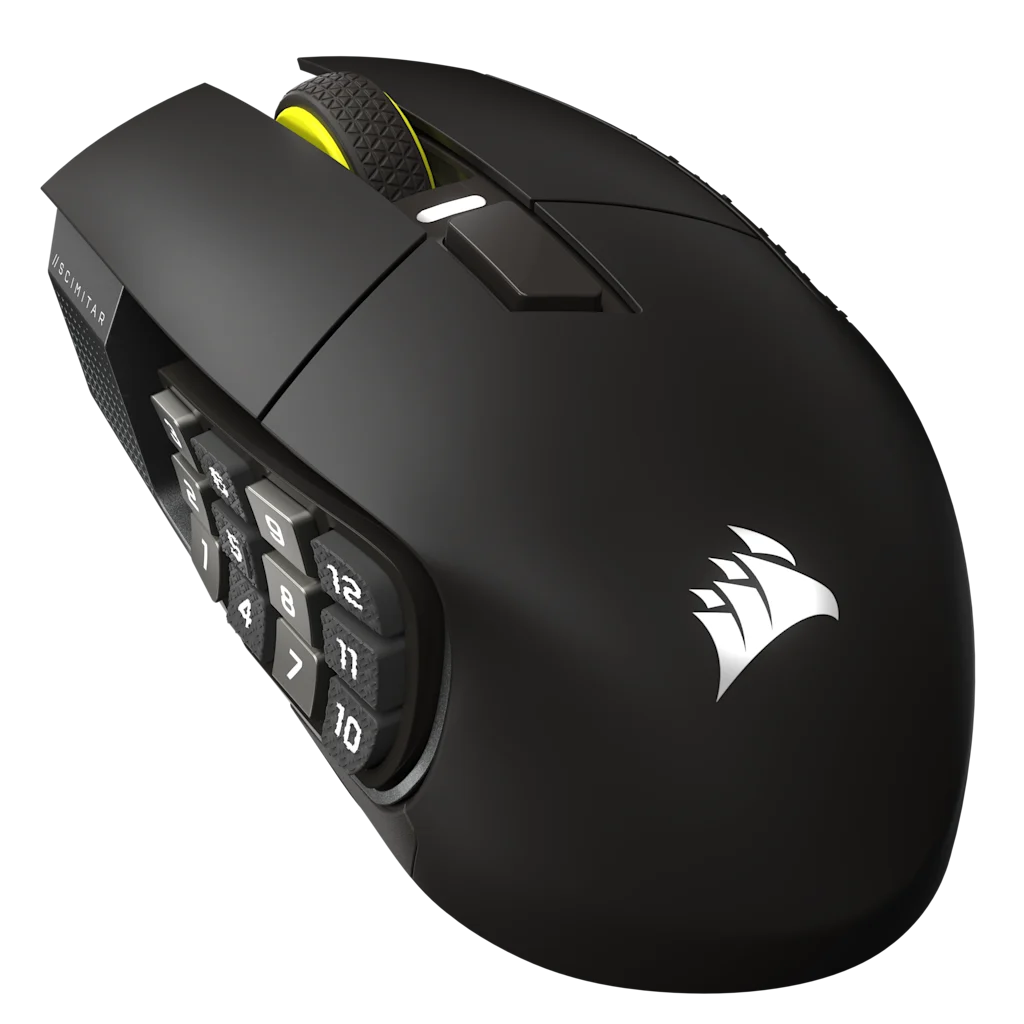
Corsair Scimitar Elite Wireless SE manufacturer product image
Main pick: Corsair Scimitar Elite Wireless SE

Corsair Scimitar Elite Wireless SE

Best for: an MMO player whose thumb cannot settle comfortably on a fixed 12-button side grid.

Tradeoff: its adjustable Key Slider and Bluetooth add setup choices that some fixed-desk buyers do not need.

The Key Slider moves the whole 12-button panel, so thumb reach, rather than button count, is the feature worth paying for.

Check current price on Amazon
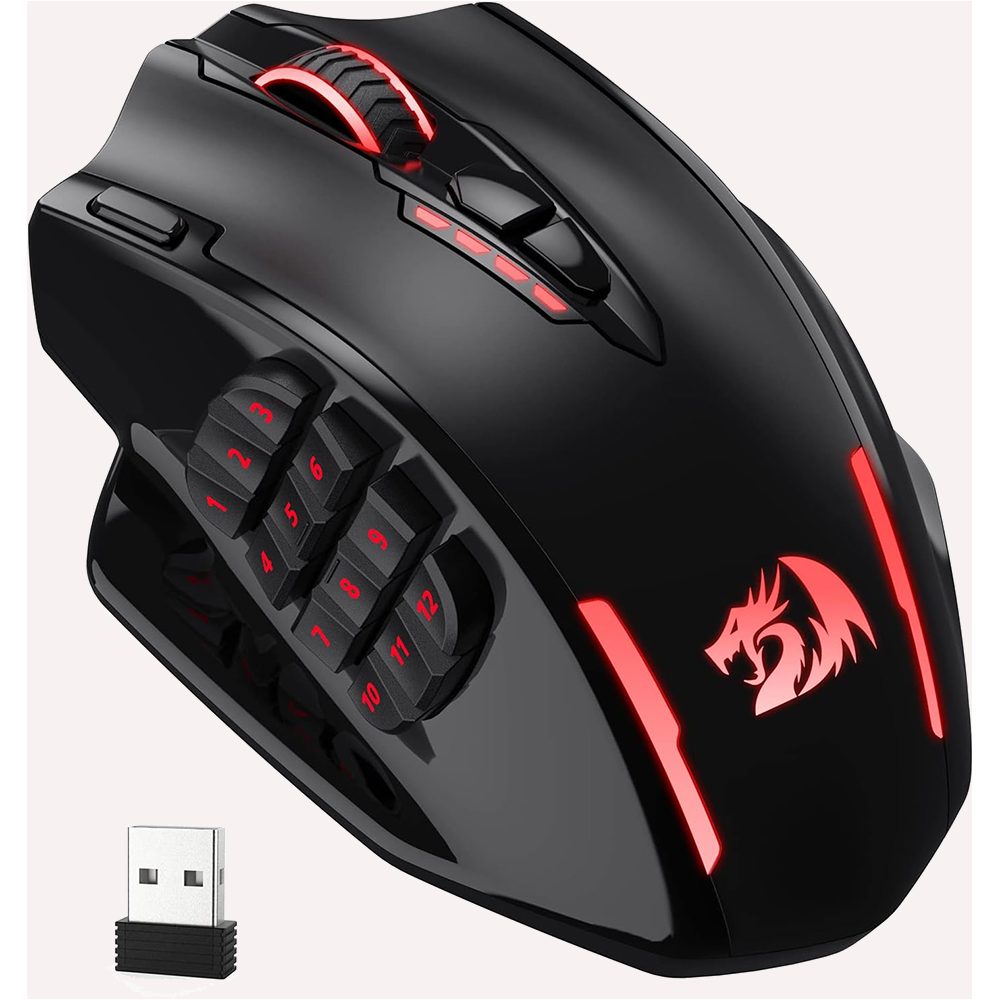
Redragon M913 manufacturer product image
Alternative: Redragon M913

Redragon M913

Best for: a wireless MMO mouse with a fixed 12-button grid and a dock or USB-C charging path.

Tradeoff: you give up the Scimitar's adjustable Key Slider, lower listed weight, and longer rated battery life.

Both mice need the exact listing checked before checkout, but the M913 decision is the fixed grid and charging routine.

Check current price on Amazon

How Corsair Scimitar Elite Wireless SE and Redragon M913 differ where it matters

The table uses manufacturer-listed figures for the Scimitar and M913. Battery modes and weight disclosures are not identical lab tests, so use them as purchase guidance, not a controlled benchmark.

Corsair Scimitar Elite Wireless SE vs Redragon M913 decision specifications
Decision point Corsair Scimitar Elite Wireless SE Redragon M913 Edge
Thumb-grid adjustment 12-button Key Slider is adjustable Fixed 12-button side grid Corsair
Wireless modes 2.4 GHz, Bluetooth, wired 2.4 GHz or USB-C wired Corsair
Software Corsair iCUE Redragon programming software Depends on your existing stack
Size 119.23 × 73.48 × 42.17 mm 122.5 × 92 × 42 mm Corsair
Weight 114 g listed by Corsair 170 g listed by Redragon Corsair
Battery claim Up to 150 h 2.4 GHz, 500 h Bluetooth with RGB off 45 h lit; 80 h eco mode Corsair

What changes between Corsair Scimitar Elite Wireless SE and Redragon M913

Connection and charging

Corsair’s Key Slider is the reason this comparison exists. It shifts the position of the 12-button panel, letting a buyer tune where the grid falls under the thumb. The M913 keeps a fixed layout. If the far column feels too close or too far on a fixed grid, adjustment matters more than another spec number.

The grid under your thumb

Corsair also offers Bluetooth in addition to 2.4 GHz and wired use. That is practical for someone moving between a personal PC and a work machine. The M913’s connection story is simpler: 2.4 GHz for wireless gaming or USB-C when you want a cable.

Do not overread the headline spec

Corsair lists 114 grams, Redragon lists 170 grams for the M913. Neither number replaces trying a grip, but the direction is clear. Buyers who already find large MMO mice tiring may prefer the Scimitar’s lower published weight and adjustable grid rather than treating the M913 dock as the deciding feature.

How this fits an MMO desk

This is a comparison. Manufacturer specifications and current listings inform the decision; they are not a lab test. The WoW setup hub has context for organizing a mouse grid with keyboard binds.

Is an adjustable thumb panel worth it?

Fixed primary desk

Corsair Scimitar Elite Wireless SE

The Scimitar's adjustable Key Slider is the better fit when a fixed 12-button grid does not land under your thumb.

Second machine or changed routine

Redragon M913

The M913 is the simpler choice when 2.4 GHz or USB-C covers your setup and you do not need Bluetooth.

Profile-building night

Either, after fit is confirmed

Both share a 12-button grid. Map the same core binds first, then decide whether adjustable reach changes your hand position.

Travel or shared desk

Match the maintenance pattern

Choose the Scimitar for its listed battery headroom. Choose the M913 when its simpler charging path matters more than the extra runtime.

What neither one fixes

Neither mouse makes Corsair iCUE or Redragon software less important, and neither guarantees a thumb grid fits every hand. Both are right-handed MMO mice with a learning curve. Bluetooth convenience is not a substitute for confirming the exact receiver, cable, and operating-system support you need.

Questions about Corsair Scimitar Elite Wireless SE vs Redragon M913

What does the Key Slider change?

Corsair’s Key Slider changes the position of the Scimitar Elite Wireless SE twelve-button side panel. It is useful when a fixed grid leaves the rows in an awkward place for your thumb.

Does the M913 have Bluetooth?

No Bluetooth mode is listed on the Redragon M913 product page used here. It is described for 2.4 GHz wireless and USB-C wired use.

Which mouse is lighter on the manufacturer spec sheets?

Corsair lists the Scimitar Elite Wireless SE at 114 grams and Redragon lists the M913 at 170 grams. Those published figures point toward Corsair for buyers prioritizing lower mass.

Can the Scimitar work wired?

Yes. Corsair lists wired use alongside SLIPSTREAM 2.4 GHz and Bluetooth modes for the Scimitar Elite Wireless SE.