MMO mice · WoW action bars

Razer Naga V2 HyperSpeed vs Redragon M913 for WoW

Both mice put twelve thumb buttons on WoW Action Bar 1. The Naga adds Bluetooth, tilt scrolling, and two binds beside left-click; the M913 trades those extras for USB-C recharge on a heavier budget grid.

The short answer

For WoW, get the Razer Naga V2 HyperSpeed if you want the lighter mouse, Bluetooth, tilt wheel, and two buttons beside left-click, and you are fine swapping AA cells. Get the Redragon M913 if you want USB-C recharge on a fixed 12-button budget grid and will accept about 170 g. Both map Action Bar 1 under the thumb.

Last checked
Before orderingRecheck the exact model and listing

Pick lighter AA power or USB-C recharge

The Naga wins on weight, Bluetooth, and the two extra top buttons. The M913 wins when you want to plug in USB-C instead of keeping spare AA cells.

Buying through our Amazon links costs you nothing extra and helps keep MMOSetup free. As an Amazon Associate we earn from qualifying purchases.

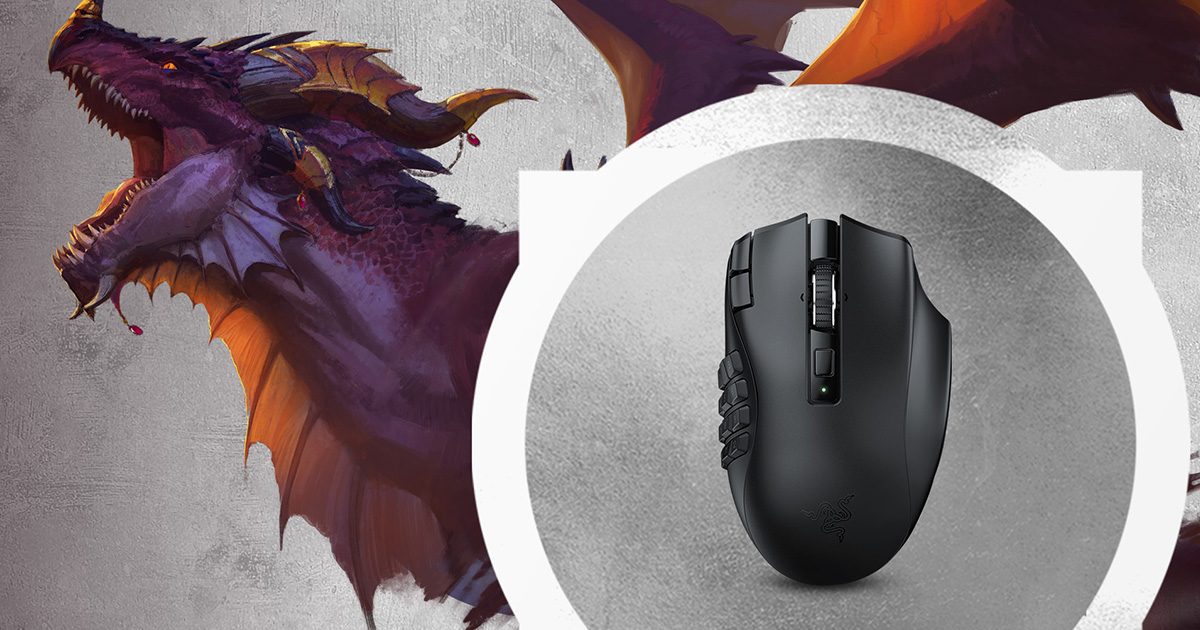
Razer Naga V2 HyperSpeed wireless MMO gaming mouse
Main pick: Razer Naga V2 HyperSpeed

Razer Naga V2 HyperSpeed

Choose it if: you want the lighter mouse, Bluetooth, tilt wheel, and two buttons beside left-click for interrupt or mount binds.

Tradeoff: AA swaps instead of USB-C charging; TechPowerUp measured about 118 g with the AA installed.

View on Amazon
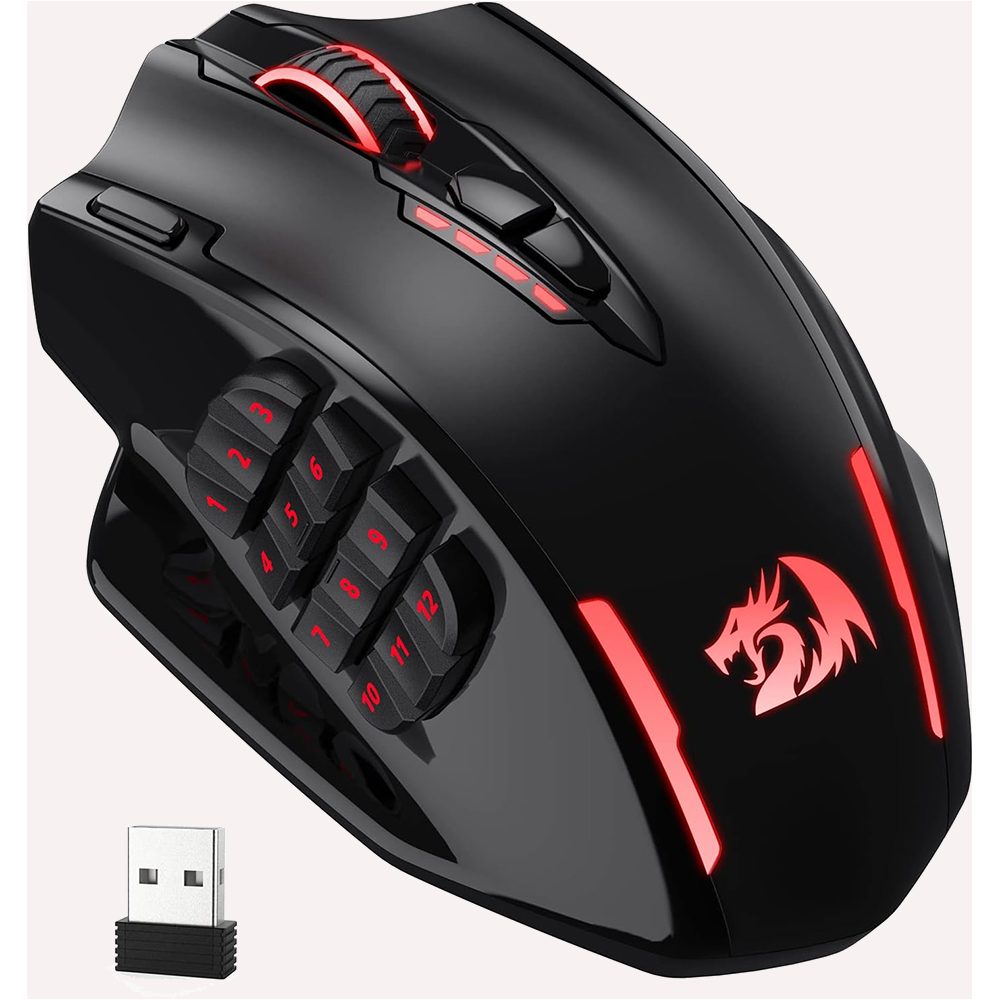
Redragon M913 dual-mode MMO mouse
Alternative: Redragon M913

Redragon M913

Choose it if: you want USB-C recharge on a fixed 12-button budget grid and can accept about 170 g listed weight.

Tradeoff: no Bluetooth on this dual-mode ASIN; owner reports keep the DPI buttons as DPI switches.

View on Amazon

Which one for WoW, FFXIV, or OSRS?

WoW

The twelve side buttons map to WoW Action Bar 1: keys 1 through 0, minus, and equals. Assign that map in Razer Synapse on the Naga or in Redragon's dual-mode software on the M913. Put your rotation on the row your thumb rests on, then stack cooldowns and defensives on Shift or Ctrl hotbars.

The Naga adds two buttons beside left-click plus tilt-left and tilt-right on the wheel, which several r/wow owners use for interrupt, stun, mount, or focus without leaving the grid. The M913 covers the same twelve-key grid without those extras; owner reports say its DPI keys stay DPI functions in the dual-mode software. Blizzard's input-broadcasting rules mean one press should trigger one action, so avoid macros that fire multiple casts. Follow the WoW MMO mouse setup guide for the full mapping walkthrough and see the WoW setup hub for wider desk context.

AA anxiety shows up in budget WoW threads: keep a charged spare AA for raid nights, or pick the M913 if USB-C recharge while playing matters more. Budget durability folklore also names Redragon as a replace-when-it-wears choice versus paying for Razer's Synapse ecosystem.

FFXIV

Map a twelve-slot hotbar 1:1 to the side grid. Shift and Ctrl hotbars stack the same way; the Naga's extra top buttons can take target or mount keys outside the grid.

Button maps for WoW Action Bar 1

These diagrams show a suggested key map, not a required rotation.

A four-row, three-column side grid maps keys 1 through 9, 0, minus, and equals. Two top buttons and wheel tilt are separate binds. Naga V2 HyperSpeed · fixed grid 123 456 789 0-= RotationRotationCooldownsDefensives Extra binds: 2 buttons beside left-click Wheel tilt left and right (interrupt, mount)
Naga's 12 side keys cover Action Bar 1. Use the two top buttons and wheel tilt for binds outside the grid.
A four-row, three-column side grid maps keys 1 through 9, 0, minus, and equals. Two DPI buttons are greyed as fixed DPI switches per owner reports. Redragon M913 · dual-mode software 123 456 789 0-= DPI (fixed)DPI (fixed) Owner reports: DPI keys stay DPI on dual-mode software
M913 maps the same Action Bar 1 grid. Plan WoW binds on the twelve side buttons, not the DPI pair.

Specs that change the WoW choice

Weight and power matter more than button count here; both mice ship a twelve-button thumb grid.

Razer Naga V2 HyperSpeed vs Redragon M913 decision specifications
FeatureRazer Naga V2 HyperSpeedRedragon M913Edge
Weight80–100 g class (Razer); about 118 g with AA (TechPowerUp)about 170 g listed by RedragonNaga
ConnectionHyperSpeed 2.4 GHz and Bluetooth2.4 GHz wireless and USB-C wiredNaga for Bluetooth
PowerOne replaceable AA; no USB-C charge pathUSB-C recharge; 45 h lighting on or 80 h eco (listing)Pick your routine
Side grid12-button 4×3 grid; 19 programmable buttons total12-button 4×3 grid; 16 buttons totalTie on Action Bar 1
Side extrasTwo buttons beside left-click; tilt wheelNo extra top buttons; DPI keys stay DPI per owner reportsNaga
Size119.5 × 75.0 × 43.5 mm122.5 × 92 × 42 mm (Redragon)Naga slightly smaller
SensorFocus Pro 30KPAW3335 classBoth adequate for WoW
SoftwareRazer Synapse; 1 onboard profile2.4 GHz Dual-Mode Windows package for the M913Depends on your stack

Software and saved binds

Razer Synapse supports Windows 10 and 11. Razer lists a Synapse Mac preview for Apple-silicon Macs on macOS 15 or later, but this Naga's presence on that device list is unconfirmed. The Naga stores one onboard profile once you save it.

Redragon's dual-mode software is Windows only. Download the 2.4 GHz Dual-Mode package for the M913, not the tri-mode package for newer SKUs. Onboard binds work after programming; Redragon's FAQ notes Mac use as plug-and-play with saved onboard settings. M908 profiles use .prof files while this M913 uses .jmk, so profiles do not transfer between those mice.

Neither vendor ships official configuration apps for Linux. Onboard profiles on both mice still carry saved binds without the desktop software running.

Choose for your WoW desk

Raid night and you hate charging cables

Razer Naga V2 HyperSpeed

Keep a charged spare AA in the desk drawer and swap instead of plugging the mouse in mid-session.

Desk raider who wants USB-C

Redragon M913

Recharge over USB-C while playing and skip Bluetooth on this dual-mode listing.

You bind interrupt next to LMB

Razer Naga V2 HyperSpeed

Use the two buttons beside left-click or wheel tilt for interrupt, stun, or focus without leaving the thumb grid.

What neither one fixes

Neither mouse is ambidextrous, neither makes a dense twelve-button grid intuitive on day one, and neither replaces thumb-reach testing before you buy. Both are right-handed MMO shapes; a smaller symmetrical mouse is a different purchase. Synapse and Redragon's dual-mode stack are separate ecosystems, so export profiles before you change PCs.

Questions about the Naga V2 HyperSpeed and Redragon M913 for WoW

Which is better for WoW, the Naga V2 HyperSpeed or the M913?

For WoW Action Bar 1, both mice cover the same 12-key thumb grid. Choose the Naga V2 HyperSpeed if you want the lighter body, Bluetooth, tilt wheel, and two buttons beside left-click for interrupts or mounts. Choose the Redragon M913 if USB-C recharge on a budget fixed grid matters more than those extras.

Does the Naga's AA battery die mid-raid?

Razer rates the Naga V2 HyperSpeed for up to 250 hours on HyperSpeed 2.4 GHz or 400 hours over Bluetooth. Those are rated runtimes, not a guarantee mid-raid. Keep a charged spare AA nearby if a swap would interrupt a pull, or choose the M913 for USB-C recharge while playing.

Does the M913 include a charging dock?

No. The dual-mode Redragon M913 ships with the mouse, manual, detachable USB-C cable, and 2.4 GHz nano receiver. The Razer Naga V2 HyperSpeed also has no dock; it runs on one replaceable AA battery. Neither mouse includes a charging dock in the box.

Can I remap the M913 DPI buttons?

Redragon's dual-mode Windows software is for the M913, not the newer tri-mode package. Owner reports on that dual-mode stack say the DPI buttons stay DPI switches and cannot map to game keys. Plan your WoW binds on the 12 side buttons instead of the DPI pair.

Do binds survive without Synapse or Redragon software?

The Naga V2 HyperSpeed stores one onboard profile once you save it in Synapse. The M913 keeps programmed binds on onboard memory after you set them in Redragon's Windows software; Redragon's FAQ notes Mac use as plug-and-play with saved onboard settings. Neither vendor offers official Linux configuration apps.

Last checked