Redragon M908 Impact vs Redragon M913 for WoW: wired or wireless?
Both mice put 12 side buttons on WoW's first action bar. Owners report the wired M908 also lets you rebind its two DPI buttons; the M913 drops the cable and keeps them as DPI switches.
For WoW at a desk, get the Redragon M908. It is wired, and its software can turn the DPI buttons into two extra binds. Get the M913 only if the cable is the problem. Both run the same 12-button side grid, so your Action Bar 1 map carries over. Your saved profile file does not.
The DPI-button difference comes from owner reports on Reddit and Amazon Q and A, not a Redragon specification.
Redragon M908 Impact and M913 decision specifications
Feature
Redragon M908 Impact
Redragon M913 dual-mode
Connection
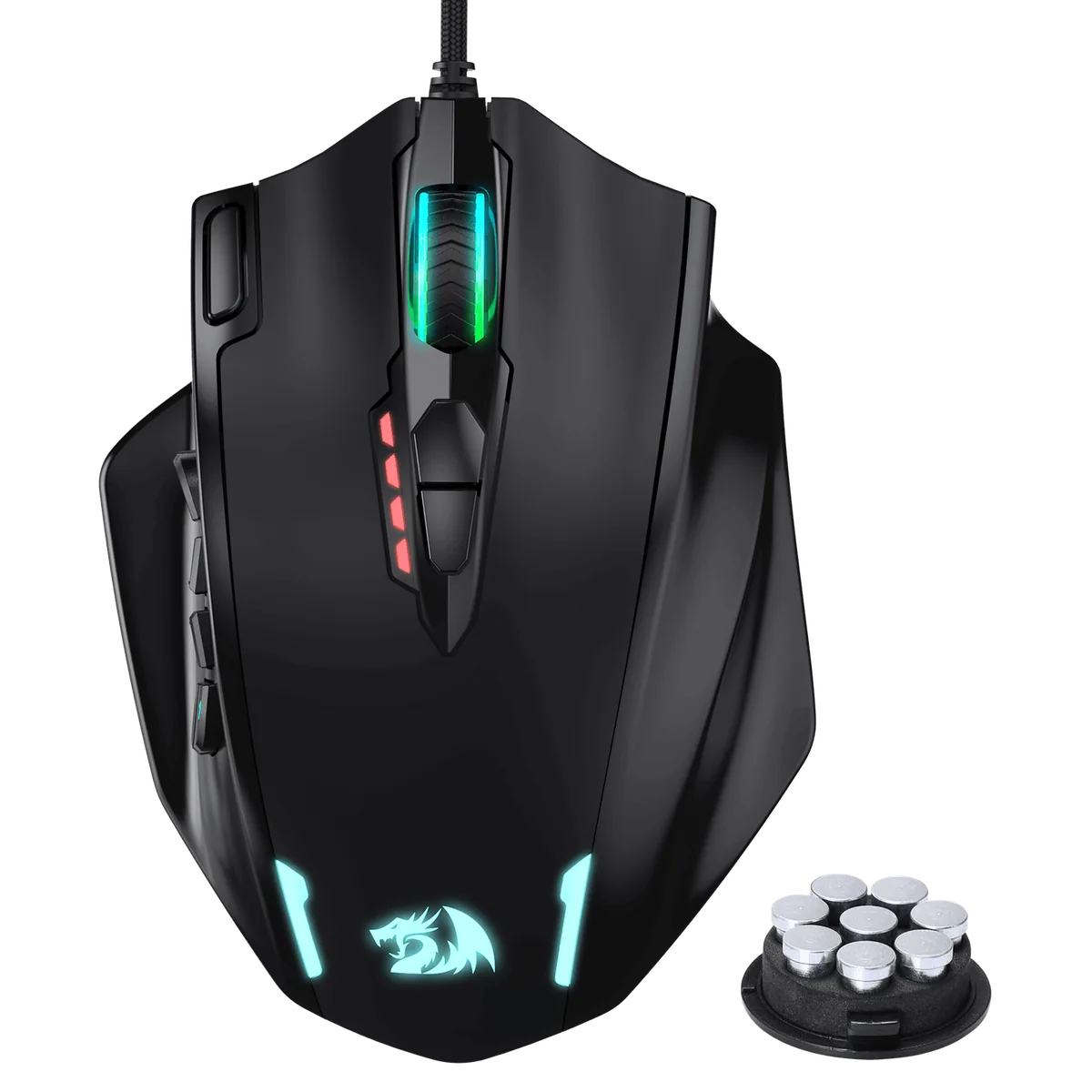
Wired USB; 6 ft braided cable
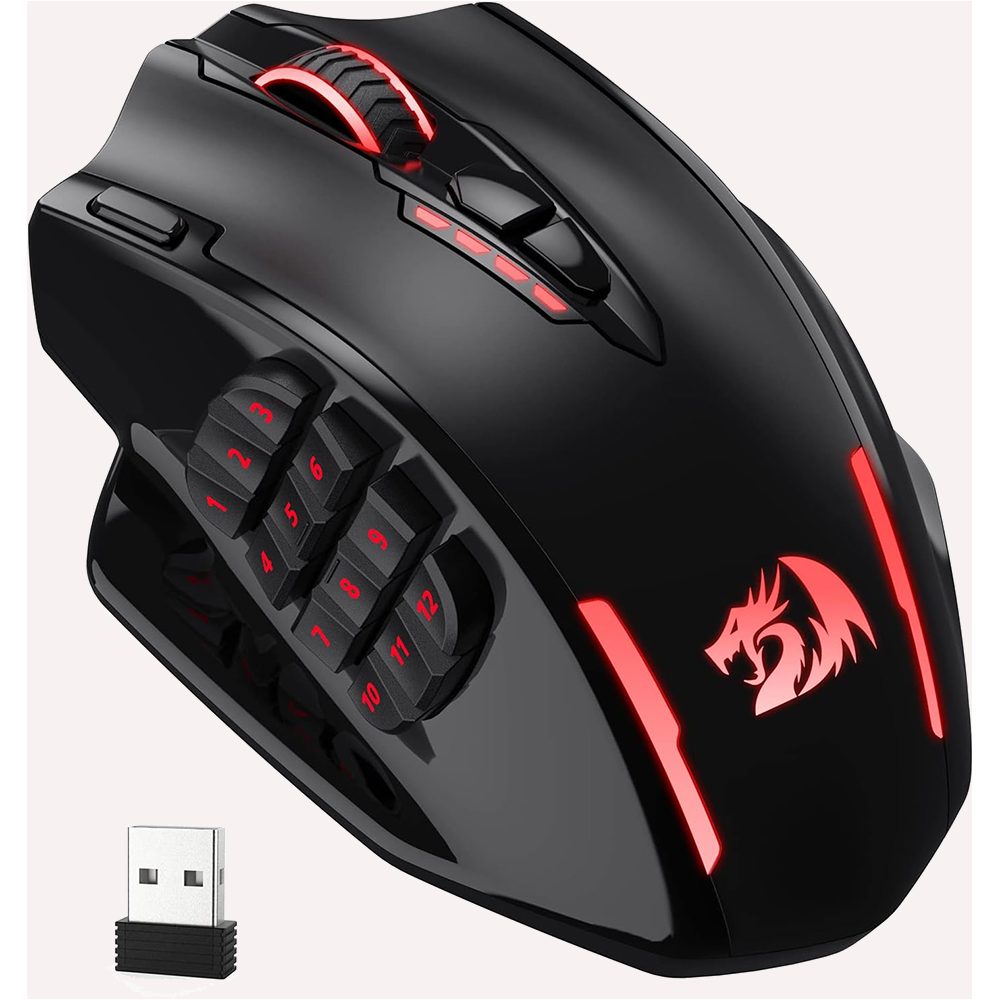
2.4 GHz wireless or USB-C wired
Rebindable controls
12 side buttons; owners report DPI keys and scroll can be remapped
12 side buttons; owners report DPI keys stay as switches
Power
USB powered
USB-C charge; 45 h with lighting or 80 h eco
Weights
Eight removable 2.4 g weights
No weights listed
Software and memory
Windows software; five onboard profiles
Windows 2.4GHz Dual-Mode package
Sensor
PAW3327; up to 12,400 DPI
PAW3335; up to 16,000 DPI
Which one for WoW, FFXIV, or OSRS?
WoW: map the grid to Action Bar 1
The 12 side buttons map to Action Bar 1: 1 through 0, -, and =. The M908's two DPI buttons can add binds such as mount and hearth. On the M913 they stay DPI switches, so plan 14 usable binds, not 16. Use one press for one action under Blizzard's input-broadcasting policy.
The wired M908 is a desk pick, especially if you want to try its removable weights. Choose the M913 for couch or laptop play, or when a cable snags the bottom row of binds. Check reach before mapping every button with the WoW MMO mouse setup guide; the WoW hub has the wider gear shortlist.
Example map: the two DPI buttons as mount and hearth.Use Redragon's 2.4GHz Dual-Mode software for this M913 listing; its DPI keys stay DPI switches.
Software and saved profiles
Redragon's configuration software runs on Windows. Use the separate M908 and M913 packages, and choose the 2.4GHz Dual-Mode package for the linked M913. The newer tri-mode M913 has its own Windows software. Settings saved onboard work on macOS; onboard profiles carry over on Linux.
The M908 stores five onboard profiles. The M908 and M913 also use different profile formats, .prof and .jmk, so a profile file does not transfer. Rebuild the button map by hand when switching mice.
FFXIV and OSRS
In FFXIV, the same grid can fill one 12-slot hotbar; add Shift or Ctrl hotbars with keyboard modifiers. For OSRS, a 12-button grid is more than tab switching needs; see the OSRS mouse and F-key setup.
Pick the setup that fits your desk
Desk raider on a budget
Choose the M908
The wired connection suits a fixed desk, and its DPI buttons can take two more WoW binds.
Laptop on the couch or cable drags
Choose the M913
Use 2.4 GHz wireless when the cable catches the bottom row. Switch to USB-C wired mode when needed.
Mount and hearth on top buttons
Choose the M908
Its two DPI buttons can take mount and hearth (owner-reported; see the spec table).
What neither one fixes
Players on r/Redragon report scroll-wheel and middle-click wear on budget units. Those are anecdotes, not a measured failure rate. The M908's weights add mass, and both mice need Windows software for configuration. Check thumb reach before mapping a full grid.
Redragon M908 and M913 questions
Is the M913 just a wireless M908?
They share a 12-button side grid, but the M913 is more than a wireless M908. The linked dual-mode M913 uses separate Windows software and a different profile format (.jmk versus the M908's .prof). Its DPI buttons stay DPI switches, while the M908's can be reassigned. Rebuild the map when switching.
Can you remap the DPI buttons on the M913?
Owners on Reddit and in Amazon Q and A report that the DPI buttons on the dual-mode M913 cannot be reassigned; they remain DPI switches. M908 owners report that its DPI buttons and scroll can be remapped. Treat those as owner reports, since Redragon does not list the remapping difference as a specification.
Can I copy my M908 profile to the M913?
No. The M908 and M913 use different software and profile formats: .prof for the M908 and .jmk for the dual-mode M913, according to owners discussing the switch. Recreate the bindings manually in the other mouse's software, then save the new map to onboard memory.
Which M913 software do I download?
For the dual-mode M913, choose Redragon's Windows download labeled 2.4GHz Dual-Mode. The newer tri-mode M913 is a different model with its own software package, so its download is not the one for this listing. Check the model label on Redragon's download page before installing.
Does either mouse work on a Mac or Linux?
Yes. Setup needs a Windows PC because Redragon's software is Windows-only; save the map to onboard memory there. Redragon says saved onboard settings work on macOS, and the onboard profiles carry over on Linux. Neither mouse has a Mac or Linux app.