Best keyboard for WoW? Choose the layout before the switch.
A useful WoW keyboard keeps movement, core actions, modifiers, and role tools easy to reach. Start with the physical layout you can repeat, then choose connection, profile, and switch feel around that map.
Start with the layout you can reach without looking. A TKL or 75 percent board keeps familiar movement and function-row relationships while leaving desk room for a mouse. Choose full-size only when the number pad or navigation block has a real job, and choose low-profile when shorter key travel is the point. The switch should follow that layout decision, not lead it. Keep full-size when your role depends on a dedicated number pad.
A known key map removes more friction than adding unused keys. Buy for layout first, then switch feel.
WoW keyboard layout decision
Layout
Fits when
WoW advantage
Tradeoff
TKL / 80%
You want familiar spacing without the number pad.
Keeps the function row, arrows, and navigation block easy to find.
Wider than compact layouts and still needs desk room.
75% / compact
You want desk space while keeping arrows and a function row.
Shortens reach between keyboard, mouse, and screen.
Navigation keys are compressed and may need an adjustment period.
Low-profile
You prefer a shorter, quieter, laptop-like key feel.
Can make repeated reaches feel familiar and keeps the board visually low.
Switch, keycap, and repair choices depend on the exact model.
Full-size
You use the number pad or dedicated navigation keys.
Leaves every standard block in its expected place.
Consumes more desk width and can increase mouse reach.
The five-minute test
Test the map before buying features.
Write down the actions you need to reach while moving: core abilities, interrupt, defensive, movement tool, target, and utility.
Place those actions on the keyboard you already own. If the map is comfortable, a new board should solve a specific hardware problem, not restart the layout.
Check the return path to movement after pressing Shift, Ctrl, or a role utility key.
Decide whether the number pad or navigation block earns its desk space. If it does not, start at TKL or 75%.
Only then compare switches, backlighting, wireless modes, and software.
Keep the physical grammar stable across characters, then change the job of each layer.
Tank
Protect movement and reaction.
Keep interrupts, taunts, active mitigation, target changes, and emergency defensives close without sacrificing strafe or camera control.
Healer
Protect targeting and utility.
Choose a layout that leaves room for your target method, dispels, externals, interrupts, and movement tools. A larger board does not replace readable frames.
Melee
Keep movement conflicts small.
Use the easiest nearby keys for actions that compete with movement. Modifiers can add capacity when the unmodified layer stays reliable.
Ranged
Separate casts from reactions.
Keep the main cast loop easy to repeat, then give movement, interrupts, defensives, and ground-targeted tools a visible layer.
Switches and profile
Choose the feel you will tolerate for a whole session.
Linear, tactile, and clicky switches change the sound and feedback of the board. None is a universal WoW advantage. Compare the actual switch, keycap, stabilizer, and noise profile in the exact keyboard you are considering.
Choose linear when you want a smooth press without a tactile bump.
Choose tactile when you want a physical signal without click noise.
Choose clicky only when the sound works for your room and group.
Choose low-profile when short travel and a flatter board are more important than broad mechanical customization.
This page compares a quiet low-profile keyboard path, not every WoW keyboard option.
As an Amazon Associate we earn from qualifying purchases.
Compact / low-profile
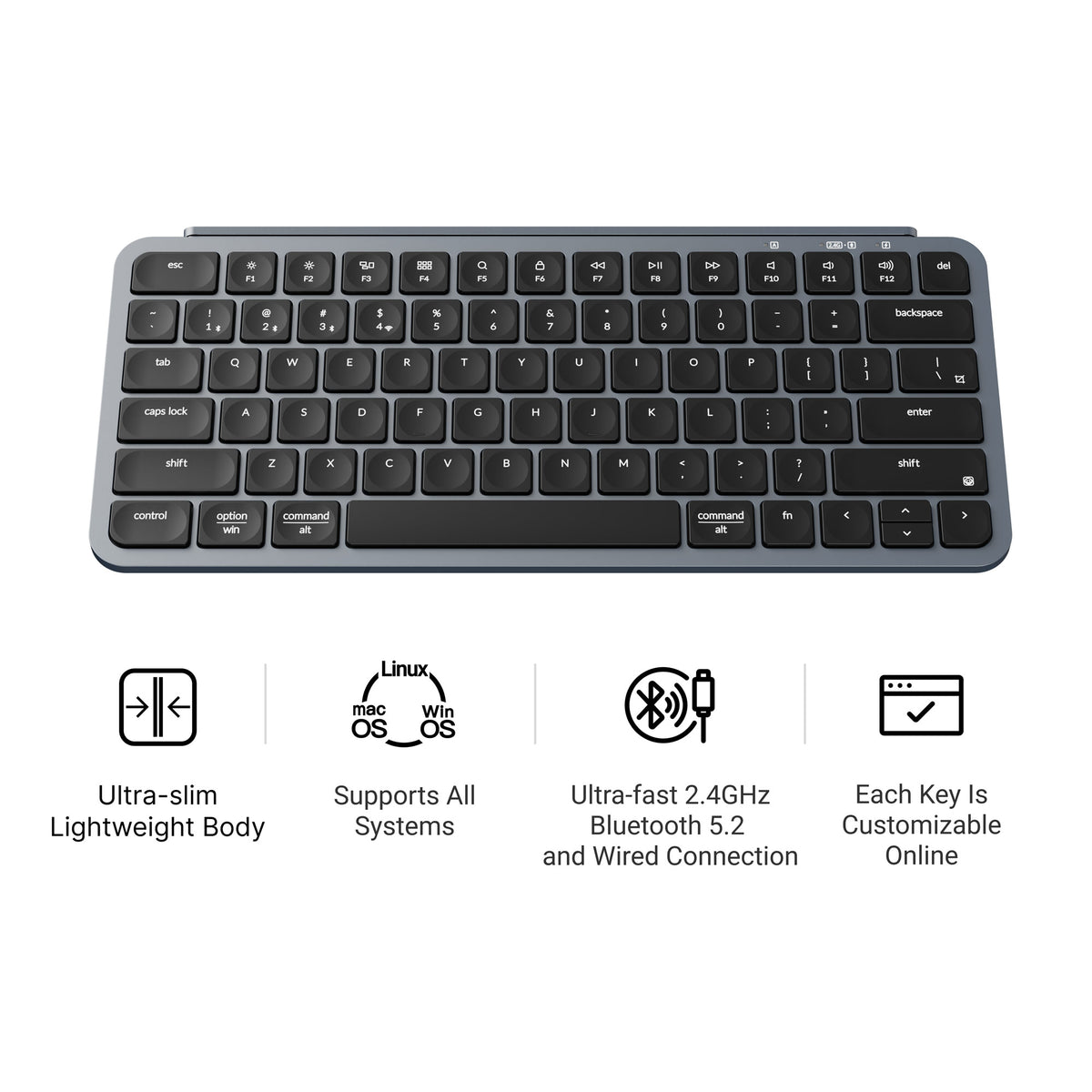
Keychron B1 Pro
The B1 Pro fits when you want a quiet 75% board with 2.4 GHz, Bluetooth, and USB-C wired modes.
Tradeoff: Keychron lists it as non-backlit with no N-key rollover. It is a compact keyboard-led path, not a universal mechanical gaming recommendation.
Exact record: U.S. listing ASIN B0D6Y2KBF5. Check the selected color and layout before checkout.
Blizzard's key-binding flow lets you assign keys to action-bar slots, unbind a key, and reset defaults when a change goes wrong. Start with the board you have, then move the same physical map to the new layout.
Keep the board only if the map survives the handoff.
Try the layout with the keyboard in the place it will actually occupy. The important question is whether your hand returns to movement after a role action, not whether the board looks compact.
Press a core action, a modifier action, and an interrupt in sequence.
Return to movement without looking down.
Test the number row, function row, and navigation block only if you plan to use them.
Repeat after the board is connected wirelessly and after the first profile change.
Reject the layout if desk width, key spacing, or connection state changes the physical map.
How I checked this page
Layout comes before switch brand.
Board shape, key feel, and WoW role use come first. Commercial picks follow that map.
Sources include Keychron product records and Blizzard key-binding docs. Keyboard fit was not verified in a live session. Switch feel, noise, price, and stock are out of scope here.
TKL or 75% is a sensible starting point for many desktop setups because it preserves familiar movement and function keys while reducing desk width. Keep full-size when you use the number pad or navigation block.
Do I need a mechanical keyboard for WoW?
No. Mechanical switches are a feel and sound choice. A reliable membrane, scissor, or low-profile board can work when the layout and key rollover match your use.
Is wireless good for WoW?
It can be. Choose 2.4 GHz for a cable-free desktop path, Bluetooth when multi-device switching matters, or USB when you want the simplest connection. Confirm the exact model's modes.
Is a keyboard better than an MMO mouse?
Neither wins for every hand. Use the keyboard for movement and core actions, then decide whether mouse-side buttons solve a real reach problem. Compare the WoW MMO mouse layouts when you need more capacity.
Can a low-profile keyboard run WoW?
Yes. The client does not require a particular key profile. Check the exact board's rollover, key layout, connection mode, and software before treating it as a gaming fit.
WoW / Controls
Build the physical map next.
Use the keyboard guide to choose the board, then use the role-based keybind guide to assign the work.