MMO mice · WoW, FFXIV and PoE 2

Razer Naga V2 Pro vs Razer Naga V2 HyperSpeed

The Naga V2 Pro adds magnetic 12-, 6- and 2-button plates and USB-C charging. HyperSpeed keeps a fixed 12-button grid, adds two index-edge buttons and runs on a replaceable AA.

The short answer

Choose the Naga V2 Pro if you want USB-C rechargeable convenience, adjustable scroll-wheel tension through Synapse, and 6- or 2-button side plates for games outside tab-target MMOs. Choose the Naga V2 HyperSpeed if you use the fixed 12-button grid, want two top-left index buttons beside left click, and prefer replaceable AA power. Razer lists it at 95 g without a battery; TechPowerUp measured about 118 g with the included alkaline AA.

Last checked
Before orderingRecheck the exact model and listing

Choose by side-panel flexibility and power

The Pro has more layout choices and can use USB-C. HyperSpeed keeps one fixed grid and uses a replaceable AA; its operating weight depends on the battery installed.

Buying through our Amazon links costs you nothing extra and helps keep MMOSetup free. As an Amazon Associate we earn from qualifying purchases.

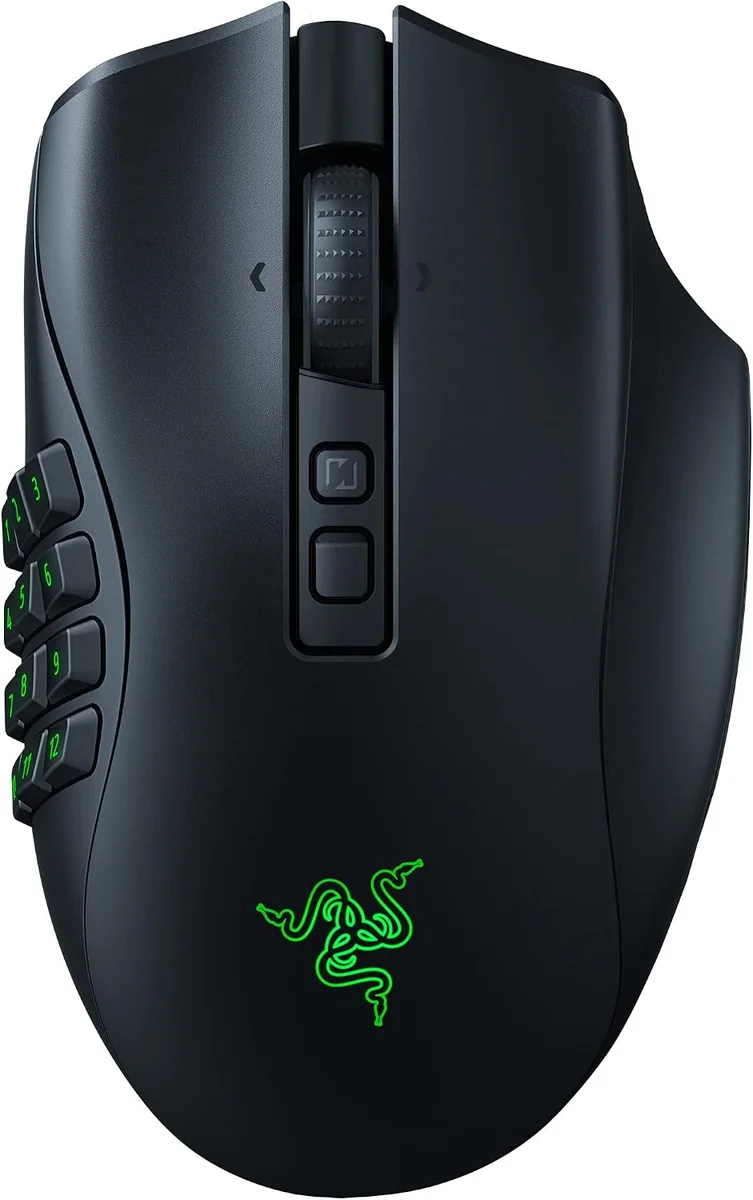
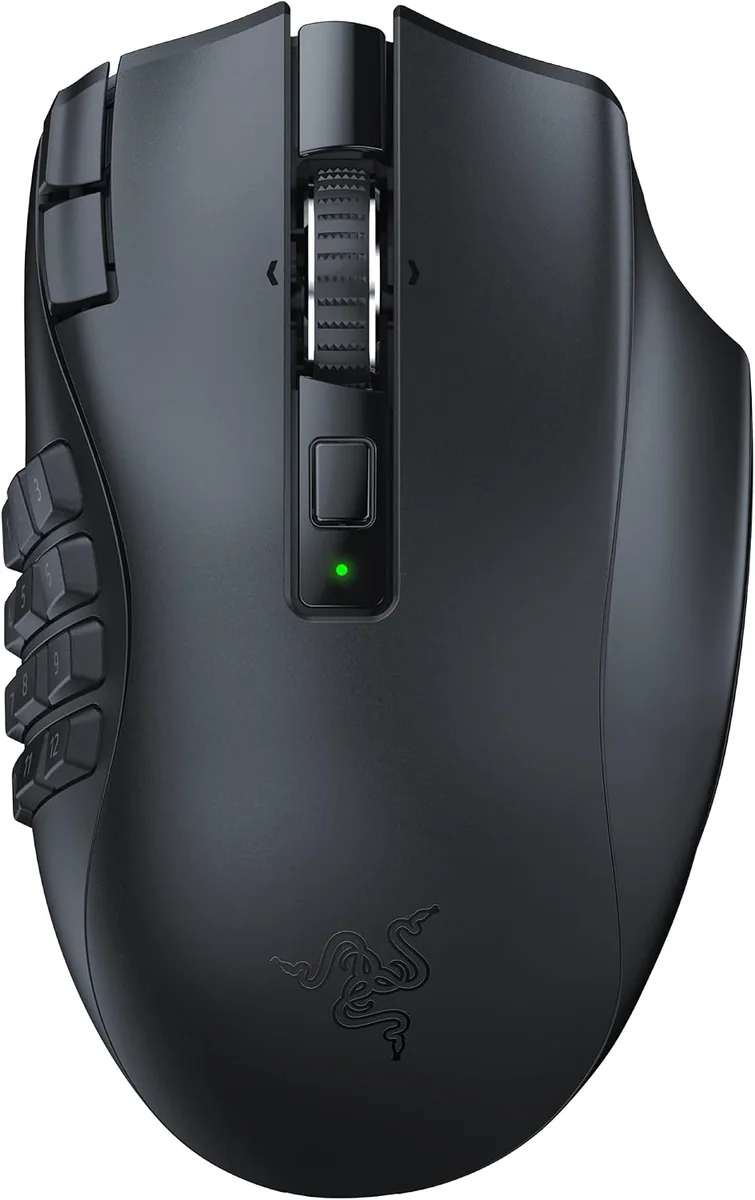
Razer Naga V2 Pro gaming mouse shown from above and the left side.
Swap the thumb layout

Razer Naga V2 Pro

Choose it if: you want its 12-, 6- and 2-button plates, USB-C charging or wheel tension adjustments in Synapse.

Tradeoff: it weighs 134 g with the 12-button plate and its two extra top buttons sit behind the scroll wheel.

View on Amazon
Black Razer Naga V2 HyperSpeed mouse shown from above with side controls visible.
Fixed 12-button grid

Razer Naga V2 HyperSpeed

Choose it if: the full grid suits your thumb and you want two buttons beside left click plus replaceable-AA power.

Tradeoff: the panel cannot be swapped and there is no USB-C port for wired play or charging.

View on Amazon

Specs that change the choice

The battery type, fixed or swappable side grid, and index-edge buttons are the useful differences here; maximum DPI does not settle the choice.

Razer Naga V2 Pro and Naga V2 HyperSpeed battery, controls and side-panel specifications
Decision pointRazer Naga V2 ProRazer Naga V2 HyperSpeedDecision
Side panelMagnetic 12-, 6- and 2-button platesFixed 12-button panelPro changes the number of side buttons.
Index-edge controlsExtra top buttons sit behind the wheelTwo buttons beside left clickHyperSpeed puts two controls at the index finger.
Weight134 g with 12-button plate95 g without AA; about 118 g with included alkaline AA measured by TechPowerUpHyperSpeed is lighter without its battery; installed, the gap narrows.
Power and connectionsRechargeable; USB-C, 2.4 GHz and BluetoothReplaceable AA; 2.4 GHz and BluetoothPro can use a cable; HyperSpeed runs on AA.
Rated battery lifeUp to 150 h on 2.4 GHz or 300 h on BluetoothUp to 250 h on 2.4 GHz or 400 h on BluetoothHyperSpeed has higher published maximums.
Main switchesRazer Optical Mouse Switches Gen-3Razer Mechanical Mouse Switches Gen-2Different switch designs; neither predicts a specific lifespan.
Scroll wheelHyperScroll Pro with adjustable tension and left/right tiltFree-spin/tactile wheel with left/right tiltPro adds software adjustment.

The fixed grid is the main fork

The Pro is more adjustable. HyperSpeed has a simpler side wall and puts two extra controls near the index finger.

A smaller plate versus a fixed 12-button wall

The Naga V2 Pro includes three magnetic plates: 12, 6 and 2 buttons. That lets you keep the mouse and change how many controls sit under your thumb. The Naga V2 HyperSpeed has a molded 12-button panel that does not come off.

If your MMO bars use all twelve thumb buttons, the fixed HyperSpeed layout may be enough. If you also use the mouse for games that need fewer side inputs, the Pro's plate choices matter.

Index buttons and wheel controls

HyperSpeed places two extra buttons beside left click. They can hold modifier or utility binds if that position suits your grip. The Pro puts its extra top buttons behind the scroll wheel. Both have left/right wheel tilt; the Pro also lets Synapse adjust HyperScroll Pro tension and behavior.

Razer specifies one AA for HyperSpeed. A lithium AAA and adapter are a third-party modification with variable fit and weight; the comparison uses the standard AA configuration.

Battery, cable and runtime

The Pro has an internal rechargeable battery and USB-C connection. Razer rates it up to 150 hours on 2.4 GHz or 300 hours over Bluetooth. HyperSpeed uses one AA and has no USB port; Razer rates it up to 250 hours on 2.4 GHz or 400 hours on Bluetooth.

Those are maximums under different manufacturer conditions. TechPowerUp measured HyperSpeed at about 95 g without the battery and 118 g with its included alkaline AA.

Optical and mechanical switches

The Pro uses Gen-3 optical main switches; HyperSpeed uses Gen-2 mechanical switches. This confirms different switch designs, not immunity from faults or a guaranteed service life. Pick the panel, power or button placement you want first, then consider the switch type if it matters to you.

Both still need software setup for custom binds. Switch generation is not a substitute for a layout that fits your game.

Where each one wins

Think about which buttons you use every session and whether you want to charge or replace a battery.

WoW and FFXIV 12-button bars

Razer Naga V2 HyperSpeed

WoW and FFXIV: If you use the full 12-button grid, HyperSpeed keeps that layout molded into the shell and adds two top-left buttons beside left click. Map those buttons to Ctrl and Alt if that suits your setup; the mouse also has wheel tilt.

One fixed MMO grid

Razer Naga V2 HyperSpeed

Use twelve side binds, two buttons beside left click and a spare AA instead of a charging cable.

USB-C charging

Razer Naga V2 Pro

Keep playing over a cable while the mouse charges. HyperSpeed has no wired data or charging mode.

PoE 2 on WASD

Razer Naga V2 HyperSpeed

With the left hand on W/A/S/D, HyperSpeed's two index-edge buttons can hold a Life Flask or Mana Flask bind, separate from the thumb grid. Use the specified AA configuration; the lithium AAA adapter is an unofficial modification and its estimated weight is not included here.

What neither one fixes

Neither Naga changes your game binds by itself. Synapse is needed to set up custom controls, and button positions that look convenient in a spec list still need to suit your grip. The Pro adds weight and complexity for modular plates; HyperSpeed keeps one layout and needs an AA on hand.

Questions about the Naga V2 Pro and Naga V2 HyperSpeed

How much does the Naga V2 HyperSpeed weigh with its battery?

Razer lists about 95 g without a battery. TechPowerUp measured about 118 g with the included alkaline AA installed. Operating weight varies with the battery. The Naga V2 Pro is listed at 134 g with its 12-button side plate attached.

Can I use the Naga V2 HyperSpeed with a cable?

No. Razer lists 2.4 GHz wireless and Bluetooth for this model; it has no USB port for wired play or charging. The Naga V2 Pro can connect by USB-C while charging its internal battery. Choose the Pro if a cable fallback matters.

Does the Naga V2 Pro have more side buttons?

The Pro includes plates with 12, 6 or 2 buttons, so you can use fewer thumb buttons for a different game. HyperSpeed has one fixed 12-button grid. Both also have controls elsewhere on the shell, including scroll-wheel tilt.

Are the Naga V2 Pro switches more reliable?

The Pro uses Gen-3 optical main switches, while HyperSpeed uses Gen-2 mechanical switches. Switch type does not guarantee service life or rule out future faults.

Can I reduce HyperSpeed's weight with a lithium AAA adapter?

That modification is not an official Razer configuration; fit and weight can vary with the adapter and battery. This comparison uses the supported AA: about 95 g without a cell and roughly 118 g with the included alkaline AA in TechPowerUp's measurement.

Last checked