Best Logitech G600 Replacements in 2026 (And How to Replicate the G-Shift Ring-Finger Modifier)
Updated October 13, 2026
Buying through our Amazon links costs you nothing extra and helps keep MMOSetup free. As an Amazon Associate we earn from qualifying purchases.
The Core Problem: A Discontinued Legend and Muscle Memory Crisis
If you have raided in World of Warcraft or Final Fantasy XIV over the last decade with a Logitech G600, your muscle memory isn't just tied to the 12-button thumb grid—it is wired to the third top mouse click under your ring finger. Logitech's G-Shift button let you turn 12 thumb buttons into 24 instant binds without touching Shift, Ctrl, or Alt on your keyboard, freeing your left hand to focus entirely on WASD movement.
The G600 combines a 12-button thumb grid with a ring-finger G-Shift modifier. This guide compares alternatives with different control layouts and shows how to preserve the actions you actually use without rebuilding your whole keybind map.
Quick Answer: Which Replacement Path Fits Your Hands?
Closest Physical Width & Adjustable Thumb Grid:Corsair Scimitar Elite Wireless SE — No ring-finger click, but its sliding 12-button rail and wide body come closest to the G600's palm-filling ergonomics.
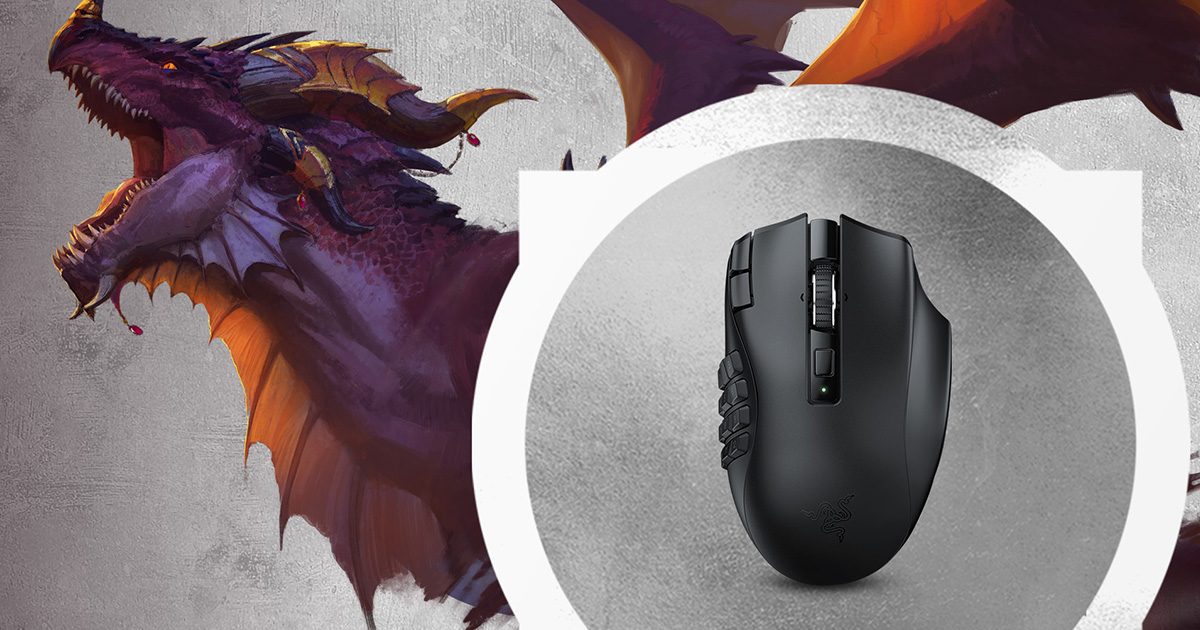
Best for Replicating G-Shift (Hypershift) via Scroll Tilt:Razer Naga V2 Pro — Optical switches prevent the notorious G600 double-click failure, and mapping Razer Hypershift to the left/right tilt scroll wheel or DPI button is the cleanest way to keep a 24-bind right-hand setup.
Only Mouse with a Dedicated Ring-Finger Click (Non-12 Grid): EVGA X15 — Features an actual third ring-finger button (E-Shift), though it trades the traditional 3x4 thumb grid for an 8-button radial thumb layout.
Fixed-grid option:Razer Naga V2 HyperSpeed: its fixed 12-button grid and AA battery are a straightforward fit when you do not need a sliding panel or swappable plates.
The G600 split its 12 buttons into two distinct 6-button "dishes" (1–6 and 7–12) angled inward toward each other. You always knew where your thumb rested by feeling the ridge between buttons 5 and 8. When you move to a Razer Naga V2 Pro or Corsair Scimitar, the grid is a flatter 4x3 plane. Expect 4 to 7 days of accidental fat-fingering on rows 3 and 4 while your thumb learns the new spacing.
Setup Tip: If you struggled to reach buttons 10, 11, and 12 on the G600 without shifting your palm backward, the Corsair Scimitar Elite Wireless solves this immediately. Its Key Slider rail lets you slide the entire 12-button cluster forward or backward with an included hex key and lock it directly underneath your natural thumb knuckle pivot.
2. Replicating G-Shift Without a Ring-Finger Button
If your FFXIV Cross Hotbar or WoW Edit Mode action bars rely on holding a right-hand modifier to access Shift + 1 through Shift + =, you have three practical ways to rebuild that workflow on a modern mouse:
The Scroll-Wheel Tilt Method (Best on Naga V2 Pro / HyperSpeed): Both Naga V2 models have crisp left and right tilt inputs on the scroll wheel. Bind Scroll Tilt Right to Shift (or Razer Hypershift). Because your middle finger already rests on or next to the scroll wheel, pushing your middle finger slightly right against the wheel while pressing a thumb button closely mimics the squeeze motion of the G600's ring-finger click.
The Index Knuckle Method (Naga V2 HyperSpeed): Unlike the Pro, the Naga V2 HyperSpeed moves its two extra buttons to the top-left edge of the Left Click plate. Binding the lower index button to Ctrl or Shift lets you chord modifiers with your index tip while your thumb works the 12-grid.
The Left-Foot Pedal Offload (Zero Hand Strain): If holding a mouse modifier while clicking causes right-wrist tension during 3-hour progression raids, offload G-Shift entirely to a single USB mechanical foot switch mapped to Shift or Alt. (See our OSRS & MMO Foot Pedal Guide for hardware details.)
The Edge-Case Contender: Should You Buy an EVGA X15?
The EVGA X15 is the only widely available mouse left on the market with a true, full-sized third click for your ring finger. If the physical sensation of clicking with your ring finger is non-negotiable, this is it. However, understand the tradeoff before buying: the thumb panel is not a 3x4 grid. Instead, it uses an 8-button radial layout surrounding a central thumb rest. For WoW: Forever players who only put interrupts, defensives, and mounts on their mouse, 8 buttons doubled to 16 via the ring-finger E-Shift is plenty. For FFXIV raiders mapping full 12-slot hotbars 1:1 to a 3x4 grid, the radial layout will break your visual mental map.
Bottom-Line Recommendations
Buy the Corsair Scimitar Elite Wireless if you want the closest palm width to the G600, lighter weight (114g), and a thumb grid you can physically slide to fit your thumb length.
Buy the Razer Naga V2 Pro if you are tired of mechanical switches developing double-clicks and want a rock-solid tilt-scroll wheel to serve as your new right-hand G-Shift trigger.
Updated October 13, 2026. Product details were checked against manufacturer descriptions. MMOSetup has not tested these mice hands-on. Confirm the exact model and configuration before buying.
For corrections, use the contact and correction information in our methodology.