WoW Stream Deck setup: labeled hotkeys, not combat automation
A Stream Deck is most useful beside WoW when it labels commands you forget, separates raid utilities from combat binds, and controls external tools. It should not turn one press into a combat sequence.
Use a WoW Smart Profile and map single hotkeys to binds you already understand. Put target markers, ready checks, interface toggles, mounts, screenshots, or voice controls on the deck. Keep rotational abilities under the mouse or keyboard, where repeated input stays visible and easier to recover. If the profile needs automation, sequences, or hidden combat actions, stop and simplify.
The deck is easier to reason about when each key mirrors an existing bind. Sequences and hidden combat actions are the line you should not cross.
WoW Stream Deck Setup decision paths
Path
Choose it when
What it solves
Limit
Single Hotkey
One labeled deck key should equal one normal WoW bind.
Keeps the action easy to audit and change in game.
It still depends on the game window receiving the shortcut.
Smart Profile
You want the WoW page to appear only while the client is focused.
Reduces accidental presses in other apps.
Profile switching can depend on permissions and app focus.
External control
The job is Discord mute, recording, music, or lighting.
Keeps out-of-game utilities off the combat keyboard layer.
These actions do not replace in-game binds.
Controlled setup
Prove one page and one hotkey before expanding.
Create a dedicated WoW profile and attach it to the current game executable with Smart Profiles.
Add one System Hotkey action and point it at an existing harmless WoW bind such as the map or a target marker.
Build one page for encounter utilities and a separate page for external voice, recording, and desk controls.
Use static icons and short labels that remain readable without animation. Test focus behavior after launching the game as administrator.
Remove any Multi Action that performs more than one gameplay input. Keep multi-step workflows outside combat and outside the game client.
Test raid utilities, interface toggles, and voice controls in the moments you actually forget the bind.
01 / Raid utilities
Raid utilities
Target markers, world markers, pull timers, and ready checks benefit from labels more than fast repetition.
02 / Interface
Interface
Map, bags, encounter tools, and layout toggles can live on a utility page.
03 / Voice and capture
Voice and capture
Mute, push-to-talk state, clipping, and recording controls are good external jobs for the deck.
04 / Combat rotation
Combat rotation
Keep repeated attacks, defensives, and interrupts on tactile controls you can find without looking away.
Pick the deck size that matches your utility list. Recheck model, configuration, seller, and region before ordering.
As an Amazon Associate we earn from qualifying purchases.
Elgato Stream Deck MK.2
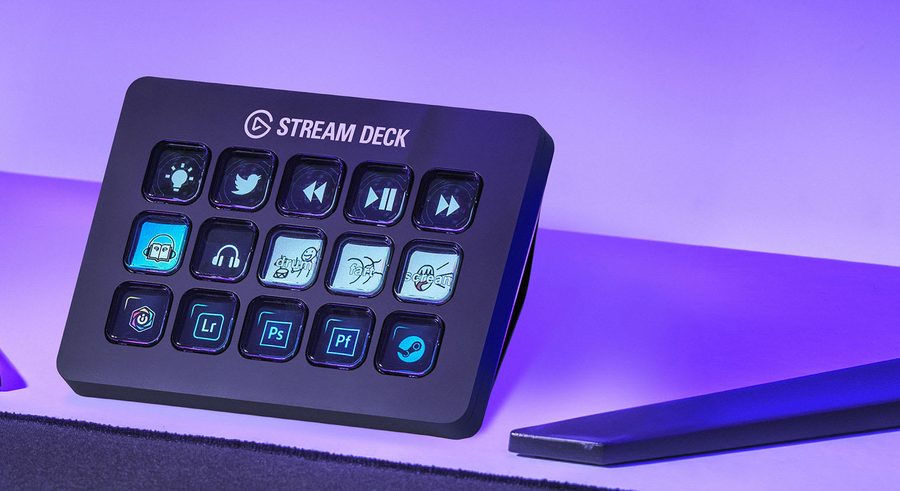
The MK.2 suits players who want fifteen visible labels on one page. It takes more desk space and can tempt overfilling, but fifteen LCD keys can separate raid utilities from voice and capture controls without hiding labels in folders.
Exact U.S. record: B09738CV2G, 15-key MK.2 listing.
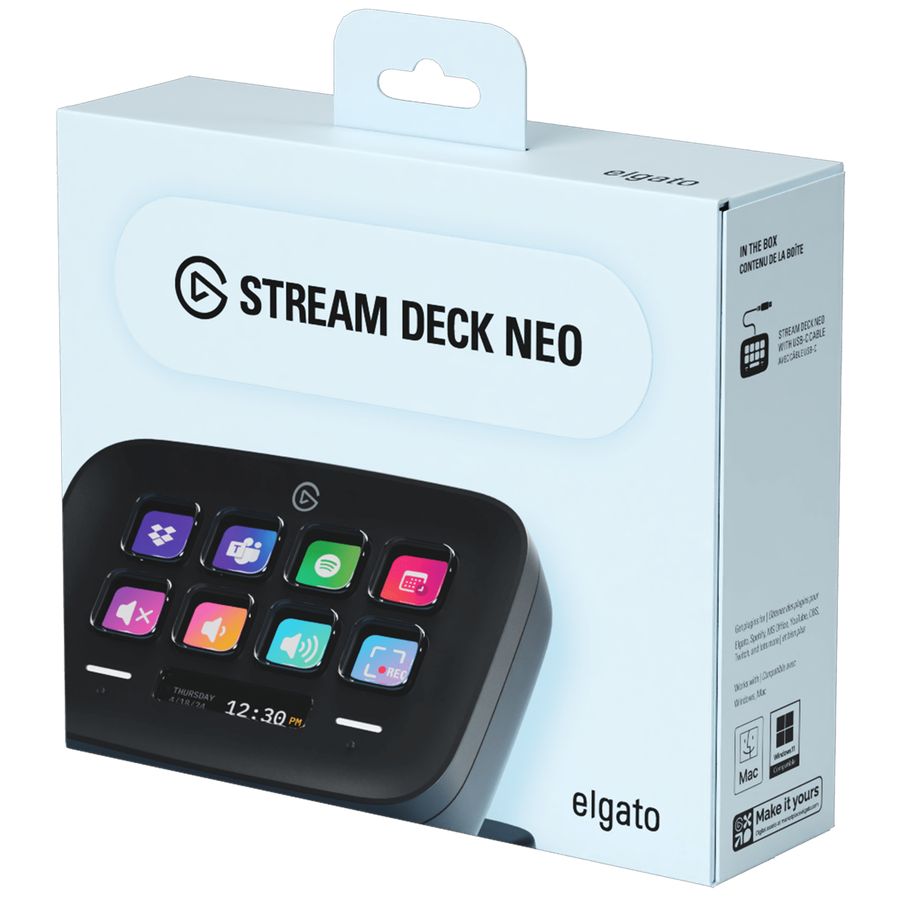
The Neo is the compact path with eight keys. You will choose commands more deliberately, but it covers markers, interface toggles, and voice controls without becoming a second action bar.
Exact U.S. record: B0CVY4566H, eight-key Neo listing.
A Stream Deck does not reduce WoW's global cooldown, make a slow decision faster, or excuse one-button combat sequences. It also needs app focus and permissions to deliver hotkeys reliably.
Compare
Compare Stream Deck bodies.
Keep combat binds off the deck. These pages settle MK.2, Live, Neo, and Razer once the labeled-hotkey job is clear.
WoW Stream Deck setup: labeled hotkeys, not combat automation?
Yes. Elgato's Hotkey action can send an ordinary keyboard shortcut that WoW already uses. Test each one with the game focused.
Can I use Multi Action for a rotation?
Do not use one deck press to perform a sequence of gameplay actions. Keep combat inputs to one normal action per physical press.
What should go on the first page?
Start with four to eight commands you forget or need to label, such as markers, map, bags, ready check, microphone mute, and clip capture.
Why does the profile not switch?
Smart Profiles depend on the selected executable, foreground focus, and permissions. Elgato notes that elevated apps may require Stream Deck to run with matching privileges.