FFXIV MMO mouse setup: keep one hotbar map across jobs
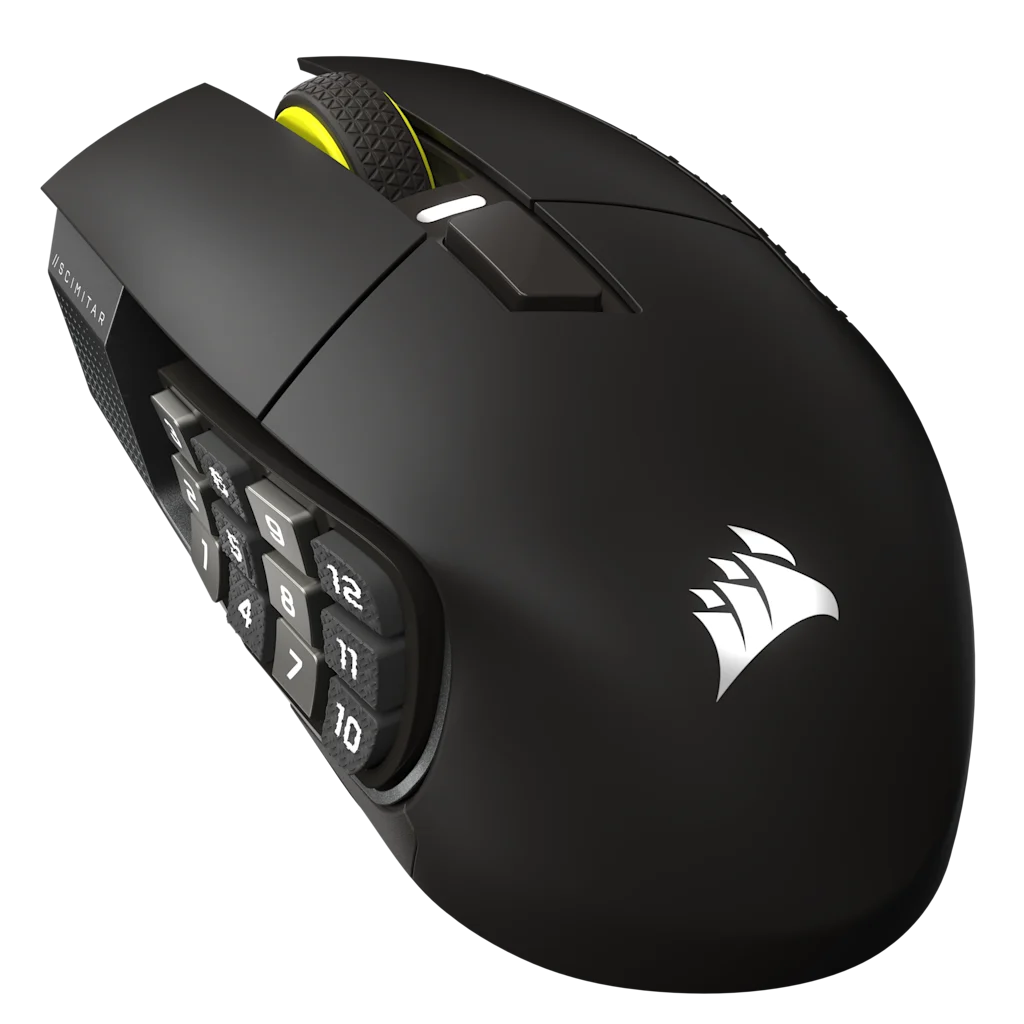
Keep the physical grid fixed and change only which action each slot triggers. For a sample tank map, put core actions on 1–4, interrupt on 5, and role utility on 6; copy those positions to other jobs and swap the actions. Shortlist the Scimitar Elite Wireless SE or Aerox 9 Wireless by which grid your thumb can repeat; skip either if you would remap the mouse for every job.
For FFXIV, start with the mouse whose panel you can place under your thumb and map to the same hotbar rows across jobs. The Scimitar Elite Wireless SE is the fit-first pick here. Choose the Aerox 9 Wireless when its lighter fixed-grid shape is more comfortable and you can find every row. Keep the game's own hotbar map in charge of the actions. The Naga V3 Pro does not replace this Scimitar-or-Aerox choice unless you need magnetic 12/6/2 plates and a lockable ring-finger button.
An adjustable panel helps when your thumb reaches some rows but not others on fixed panels. If you hunt for buttons during movement, the grid is too large or too far out.
Best MMO Mouse for FFXIV decision paths
Path
Choose it when
What it solves
Limit
Adjustable twelve-button grid
Your thumb reaches some rows but not others on fixed panels.
Moves the whole grid to fit reach.
The larger right-handed body still needs a real fit test.
Light fixed twelve-button grid
You prefer a lighter mouse and already know fixed-grid reach works.
Reduces mouse mass while keeping a full side grid.
The panel position cannot move.
Fewer side buttons
Keyboard modifiers and hotbars already cover most job actions.
Simpler learning and easier use outside FFXIV.
Moves fewer actions away from the keyboard.
Controlled setup
Mirror the physical buttons in the hotbars.
Create a fresh mouse profile and map the side grid to ordinary keyboard keys that FFXIV can bind.
Arrange a visible three-by-four hotbar to mirror the physical mouse grid during the learning period.
Give the easiest row frequent global-cooldown actions, another row role and movement tools, and the remaining row defensive or situational actions.
Keep equivalent jobs in the same physical pattern. For example, place each role's interrupt, movement tool, and main defensive in matching positions.
Lock the hotbar, test on a training dummy and in low-risk content, then hide only the labels you can recall without looking.
Test tank mitigation, healer targeting, and your main DPS rotation on a training dummy before you hide hotbar labels.
01 / Tank
Tank
Keep mitigation, interrupt, provoke, and movement in stable zones that carry across tank jobs.
02 / Healer
Healer
Do not move every target and healing command to the mouse. Keep the target method and modifier layer consistent.
03 / Melee and ranged
Melee and ranged
Use the grid for repeated hotbar positions while the keyboard handles movement, modifiers, or selected utility.
04 / Crafting and gathering
Crafting and gathering
A separate in-game hotbar can reuse the same hardware keys without rewriting the mouse profile.
The use case and tradeoff come before each link. Recheck the selected model, configuration, seller, and region before ordering.
As an Amazon Associate we earn from qualifying purchases.
Corsair Scimitar Elite Wireless SE
Best for: players who want a full grid but need to move it forward or back for thumb reach.
Tradeoff: the 114 g right-handed body is larger than the Aerox and iCUE adds a software layer.
Why it fits: the adjustable Key Slider changes grid position without changing the three-by-four mental map.
Exact U.S. record: B0F6NGCDFN, Gunmetal MPN CH-9314014-WW listing.
An MMO mouse does not reduce FFXIV's action count or replace a coherent hotbar. It also cannot make every job share identical abilities. The useful carryover is physical position and job, not spell name.
Job test
Map the physical grid to hotbar jobs.
FFXIV hotbars can change by job, but the hardware should stay legible. Test a shared physical grammar before building a separate profile for every class.
Put one frequent action on the same physical button across two jobs.
Try movement, a role action, an interrupt, and a defensive without looking down.
Read the hotbar position after changing the job, then check whether the thumb still knows the physical row.
Use the game's Keybind and Configuration menus to correct the map.
Keep the keyboard or gamepad path when the grid adds searching instead of removing it.
Compare
Compare Scimitar, Aerox, and Naga grids.
Map hotbar positions first. Then use a head-to-head when two named mice are left.
Start with FFXIV hotbar grammar, then compare an adjustable panel against a lighter fixed grid. Change the default if the hand cannot reach every row or the software path does not match your platform.
Recheck Corsair iCUE or SteelSeries GG support on your OS before you assume every side button can be mapped.
Keep the physical grid in the same positions on every job, then assign FFXIV hotbar actions to those positions. Start with frequent actions and leave targeting or chat on controls you already use well. The mouse is optional; skip it if your current hotbars are easy to reach.
Which FFXIV actions belong on the mouse?
Start with frequent hotbar positions, movement tools, interrupt, role actions, and selected defensives. Keep chat and complex targeting on controls you already use well.
Should the mouse profile change for every job?
No. Keep the hardware keys stable and change the FFXIV hotbar assignment. Matching physical jobs across roles creates useful carryover.
Does FFXIV support MMO mice on Mac?
FFXIV supports mouse and keyboard on Mac, but the mouse vendor's configuration software still needs current macOS support. Check that boundary before buying.