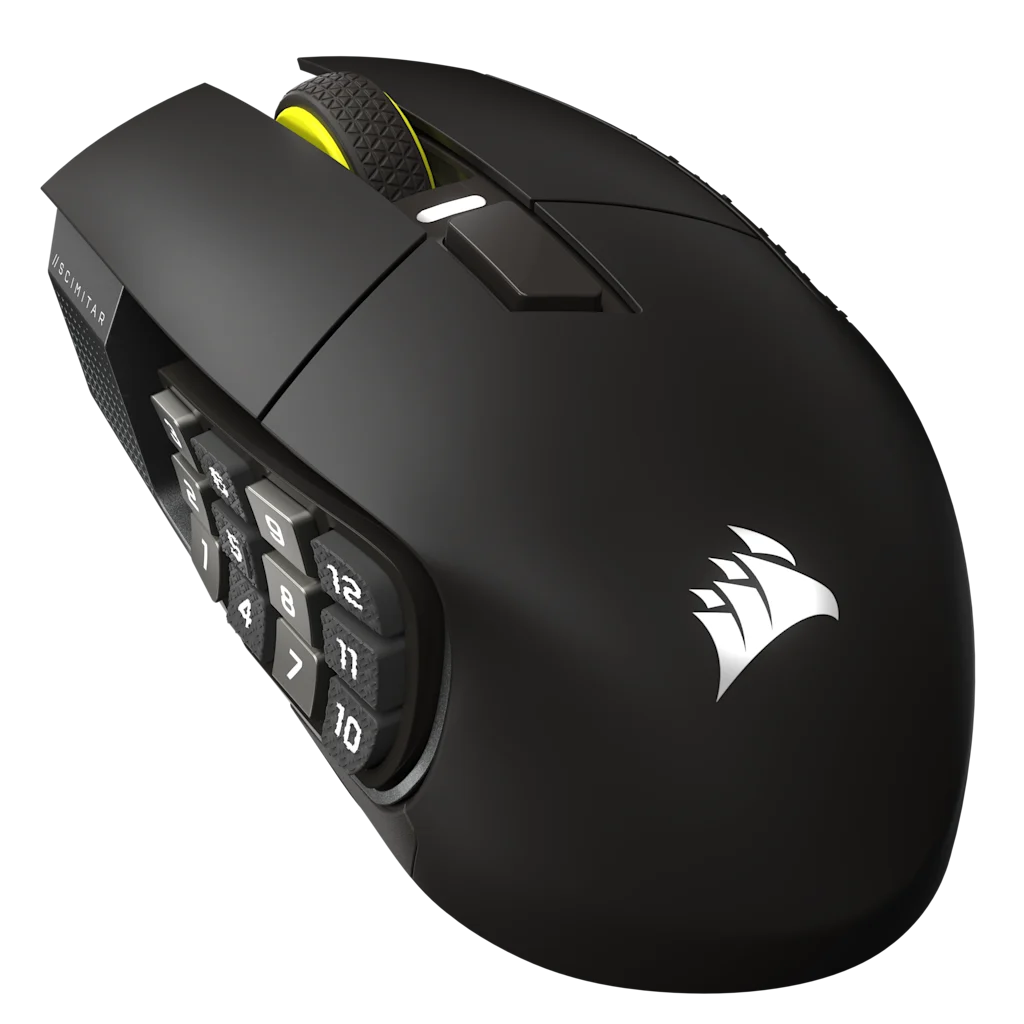
Best MMO mouse for Mac: choose the software path first
An MMO mouse can point and click on a Mac while its button software fails to detect the device. The purchase decision starts with current configuration support, the required connection mode, and what the mouse stores onboard.
On a Mac, choose the configuration path before the button count. The Scimitar Elite Wireless SE is the safer starting point when its current iCUE route can assign the buttons on your macOS version. Consider the Aerox 9 only when its fixed grid and supported connection mode fit your session. If the software cannot see the mouse, no extra buttons are worth the purchase.
Software support determines whether the extra buttons can be assigned and maintained. If the vendor app does not support your macOS version, stop before you buy for the side grid.
Best MMO Mouse for Mac decision paths
Path
Choose it when
What it solves
Limit
Corsair plus USB receiver
You want current macOS configuration and an adjustable grid.
iCUE can detect supported peripherals over cable or receiver.
Bluetooth mode is not detected by iCUE.
SteelSeries GG
You already use a supported macOS and prefer the lighter fixed grid.
Engine remains available with limited features.
Regular macOS feature updates have ended.
Preconfigure elsewhere
The target Mac only needs stored basic mappings.
Onboard profiles reduce reliance on background software.
Not every advanced action or app feature persists.
Controlled setup
Prove detection before building the map.
Check the current macOS version against the vendor's software requirements before buying the mouse.
Connect by USB cable or the documented receiver path for the first configuration. Do not assume Bluetooth exposes the configuration panel.
Grant the input-monitoring or accessibility permissions requested by the vendor app, then restart it if detection still fails.
Map one row to harmless keyboard keys and confirm the target MMO reads them correctly.
Save an onboard profile, close the vendor app, and test which settings remain before building the full layout.
Prove detection, map one harmless key, close the vendor app, and confirm the mapping survives. That chain matters more than spec-sheet button count.
01 / Software detection
Software detection
A supported logo means little if the current app cannot see the exact mouse over your chosen connection.
02 / Onboard memory
Onboard memory
Stored basic keys are useful when an MMO runs well without the vendor app open.
03 / Apple Silicon
Apple Silicon
Check whether the current software needs Rosetta or additional permissions on your Mac.
04 / Game client
Game client
FFXIV has a Mac client. Other MMOs may use streaming, compatibility layers, or no supported Mac client at all.
The use case and tradeoff come before each link. Recheck the selected model, configuration, seller, and region before ordering.
As an Amazon Associate we earn from qualifying purchases.
Corsair Scimitar Elite Wireless SE
Best for: Mac players who want a current configuration path and an adjustable twelve-button panel.
Tradeoff: iCUE requires a cable or USB receiver for detection, not Bluetooth.
Why it fits: Corsair documents current macOS iCUE, key assignments, and profiles for supported peripherals.
Exact U.S. record: B0F6NGCDFN, Gunmetal MPN CH-9314014-WW listing.
A compatible mouse does not guarantee future software.
A macOS-compatible mouse does not make a Windows-only MMO run on Mac. It also does not guarantee that vendor software will support every future macOS release. Recheck the application and operating-system boundary before checkout.
Detection test
Prove the software path before building the grid.
Mac compatibility is a chain. The mouse must connect, the vendor app must detect it, macOS permissions must allow the requested input access, and the stored mapping must survive the app being closed.
Check the exact macOS version against the vendor's current support page.
Connect by USB or the documented receiver path, then confirm the device appears in the app.
Grant only the permissions the app requests and restart it after changes.
Map one harmless key and test it in a text field before opening the MMO.
Close the vendor app and verify which mappings remain. Keep the keyboard or a lower-button mouse as the fallback if the chain breaks.
Compare
Compare the grids after software support.
Confirm the Mac configuration path first. These pages compare the same mice on layout and connection.
Check the vendor app and connection path first, then whether your hand can actually use the button panel. The Windows-only path is not a Mac recommendation.
Corsair documents iCUE over USB or receiver, not Bluetooth. SteelSeries ended regular macOS feature updates in 2026. Read both support pages before checkout.
Corsair provides iCUE for current macOS and documents peripheral configuration. Check the live system requirements and exact device support before installing.
Can iCUE configure the Scimitar over Bluetooth?
Corsair says iCUE detects supported devices through USB cable or a wireless receiver. Bluetooth can connect the mouse, but not expose it to iCUE.
Does SteelSeries GG still work on macOS?
Yes on supported environments, but SteelSeries says new features and regular updates are now Windows-only. Future macOS compatibility is not guaranteed.
Will onboard mappings work without the app?
Basic stored profiles can, depending on the device. Test every mapping with the vendor app closed before relying on it in a game.