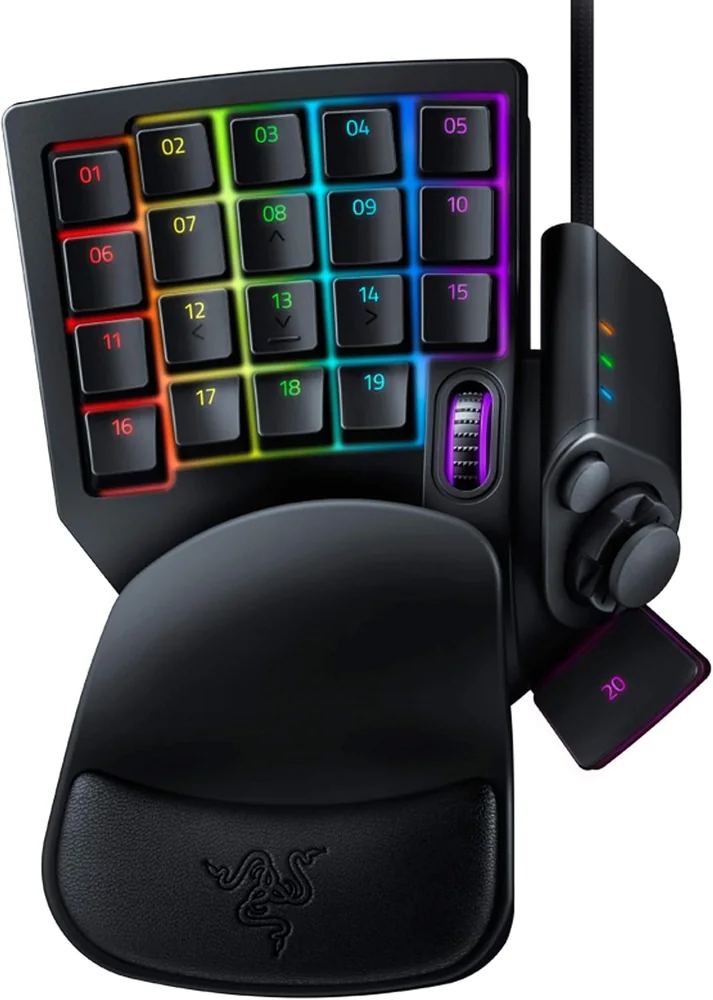
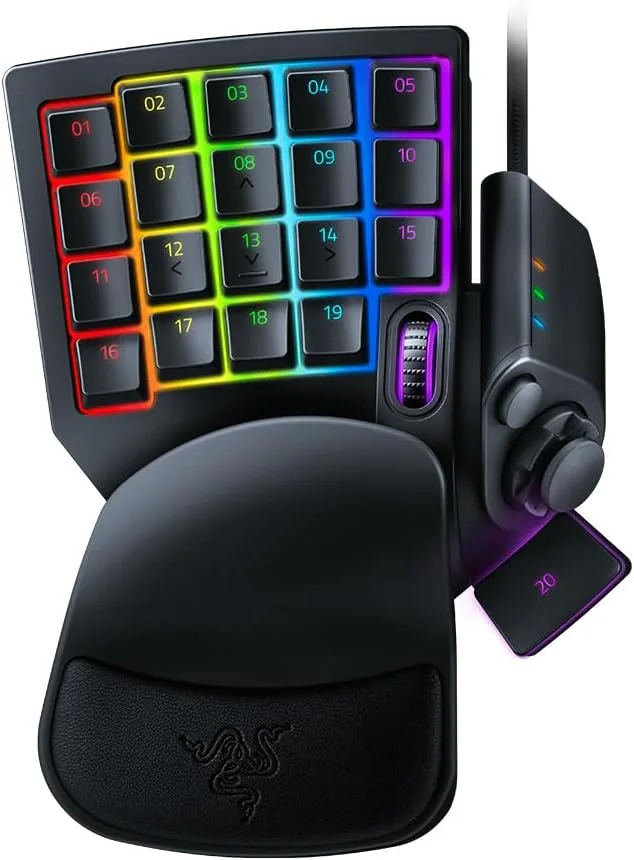
The Tartarus V2 has tactile Mecha-Membrane keys. The original Tartarus Pro adds adjustable analog optical finger switches and dual-function input; both use an 8-way digital thumbpad.
Choose the Tartarus V2 if you prefer tactile keys and fixed actuation. Choose the original Tartarus Pro if you want to adjust finger-key actuation from 1.5 to 3.6 mm or use two functions at different press depths. Both still use an 8-way digital thumbpad.
Last checked
Before orderingConfirm the exact model and platform
Choose by key feel and actuation control
The main difference is in the finger keys. The thumbpad and keypad layout remain familiar across both models.
Buying through our Amazon links costs you nothing extra and helps keep MMOSetup free. As an Amazon Associate we earn from qualifying purchases.
Best for tactile keys
Razer Tartarus V2
Choose it if: You prefer the tactile bump of Razer Mecha-Membrane switches and do not need adjustable actuation.
Tradeoff: Actuation is fixed, and Razer does not list onboard memory for this model; use Synapse 4 for custom bindings.
Choose it if: You want adjustable actuation from 1.5 to 3.6 mm and dual-function keys on the finger-key section.
Tradeoff: The linear analog optical keys do not have the V2’s tactile bump. Razer lists eight quick-toggle key maps and Synapse 4 support, not three onboard profiles.
Features that change the key map, movement, or connection options.
Razer Tartarus V2 vs Tartarus Pro decision specs
Feature
Razer Tartarus V2
Razer Tartarus Pro
Finger-key switches
Mecha-Membrane
Analog optical
Actuation
Fixed
Adjustable, 1.5–3.6 mm; dual-function keys
Thumb control
8-way digital directional pad
8-way digital directional pad
Programmable controls
32
32
Profiles and setup
Razer Synapse 4; onboard storage not listed
Eight quick-toggle key maps; Razer Synapse 4
Layout and rest
One-handed keypad; adjustable palm rest
One-handed keypad; adjustable palm rest
Specs from the manufacturer product and support pages linked below.
Game-specific setup verdict
Final Fantasy XIV
For a keyboard-style FFXIV map, either keypad can put movement or modifiers on the thumbpad and hotbar binds on the finger keys. Choose the V2 for the tactile switch feel; choose the Pro if per-key actuation or two press-depth functions fit the map you want. Neither thumbpad is a 360-degree analog stick.
WoW: Forever
The V2 suits a fixed key map with a tactile press. The Pro gives you more control over how far a finger key must travel before it registers. Keep the key map consistent between characters and configure it through Razer Synapse 4.
Start with one reachable block of hotbar actions and reserve thumb directions for movement or a modifier. That keeps switch feel separate from layout. On the Pro, use a second press-depth function only where two actions on one key make sense; the V2 keeps one fixed actuation point.
What changes between them?
The Pro’s “analog” label applies to its finger keys.
Its thumb control remains an 8-way digital directional pad, like the V2. It does not provide 360-degree thumbstick movement.
Razer describes eight quick-toggle key maps for the original Pro.
That is not the same claim as three onboard profiles. Razer’s current support page lists Synapse 4 for configuration and does not list onboard memory for the original Pro.
What you give up either way
Razer Tartarus V2
You give up per-key actuation adjustment and dual-function press depth. Custom bindings also depend on Razer’s configuration software.
Razer Tartarus Pro
You give up the V2’s tactile bump for linear analog optical switches. Its analog sensing does not make the thumbpad analog.
What neither one fixes
Neither keypad supplies a full keyboard or chooses a useful hotbar map for you. Set the in-game bindings around the same physical positions, keep chat and menu input available elsewhere, and do not assume the Pro’s two press depths will fit every action. Both still rely on a stable key map for each game. If most actions already fit on your keyboard, keeping it as the base and assigning only missing controls can be simpler.
Frequently asked questions
Does the Tartarus Pro have an analog thumbstick?
No. The original Tartarus Pro uses analog optical switches under its finger keys, while the thumb control is still an 8-way digital pad. You can bind directional movement there, but it does not send a continuous 360-degree position like a thumbstick.
What is the Pro’s actuation range?
Razer lists adjustable actuation from 1.5 to 3.6 mm. On the Pro, dual-function keys can assign a second command at a different press depth. Those settings are made through Razer Synapse; they do not turn its thumbpad into an analog control.
Does the original Pro have three onboard profiles?
Razer’s 2019 product announcement describes eight quick-toggle profiles or key maps, not three onboard profiles. Current support specs name Synapse 4 and do not list onboard memory, so plan to configure it through Synapse and do not assume maps transfer to another PC on the device alone.
Do both keypads use the same kind of switches?
No. The Tartarus V2 uses Razer Mecha-Membrane switches with a tactile bump. The original Tartarus Pro uses linear analog optical switches on its finger keys. That changes key feel and actuation options, while both models keep the same general keypad layout and digital thumbpad.
Which is the simpler FFXIV keypad?
The V2 is the simpler choice if you want fixed actuation and tactile keys. Choose the Pro if you plan to configure actuation depth or dual-function keys in Synapse. Either keypad can take a keyboard-style hotbar map, and neither gives you continuous analog thumb movement.