Mice and trackballs ยท Clicking and WFH comfort

MX Ergo S vs G502 X: which should you buy?

One keeps your arm still and moves the cursor with your thumb. The other is a full-speed gaming mouse. They solve different problems, and most people only need one of them.

The short answer

Get the MX Ergo S if your day is thousands of repeated clicks, OSRS-style AFK skilling, spreadsheet work, or both back to back, and arm or wrist fatigue is the problem you're solving. Get the G502 X if you need fast, precise cursor movement for combat, twitch aiming, or any game where speed matters more than motion economy. Most people gaming and working from the same desk end up wanting both for different tasks, not one for everything.

Page freshness
Before orderingRecheck the exact configuration

The fork in the road is motion, not brand.

Both are Logitech. The real choice is whether you want your arm to stay still while you click, or whether you want the fastest possible cursor for combat.

As an Amazon Associate I earn from qualifying purchases. Affiliate disclosure: MMOSetup may earn a commission from qualifying purchases. Recommendations explain the use case and tradeoff first.

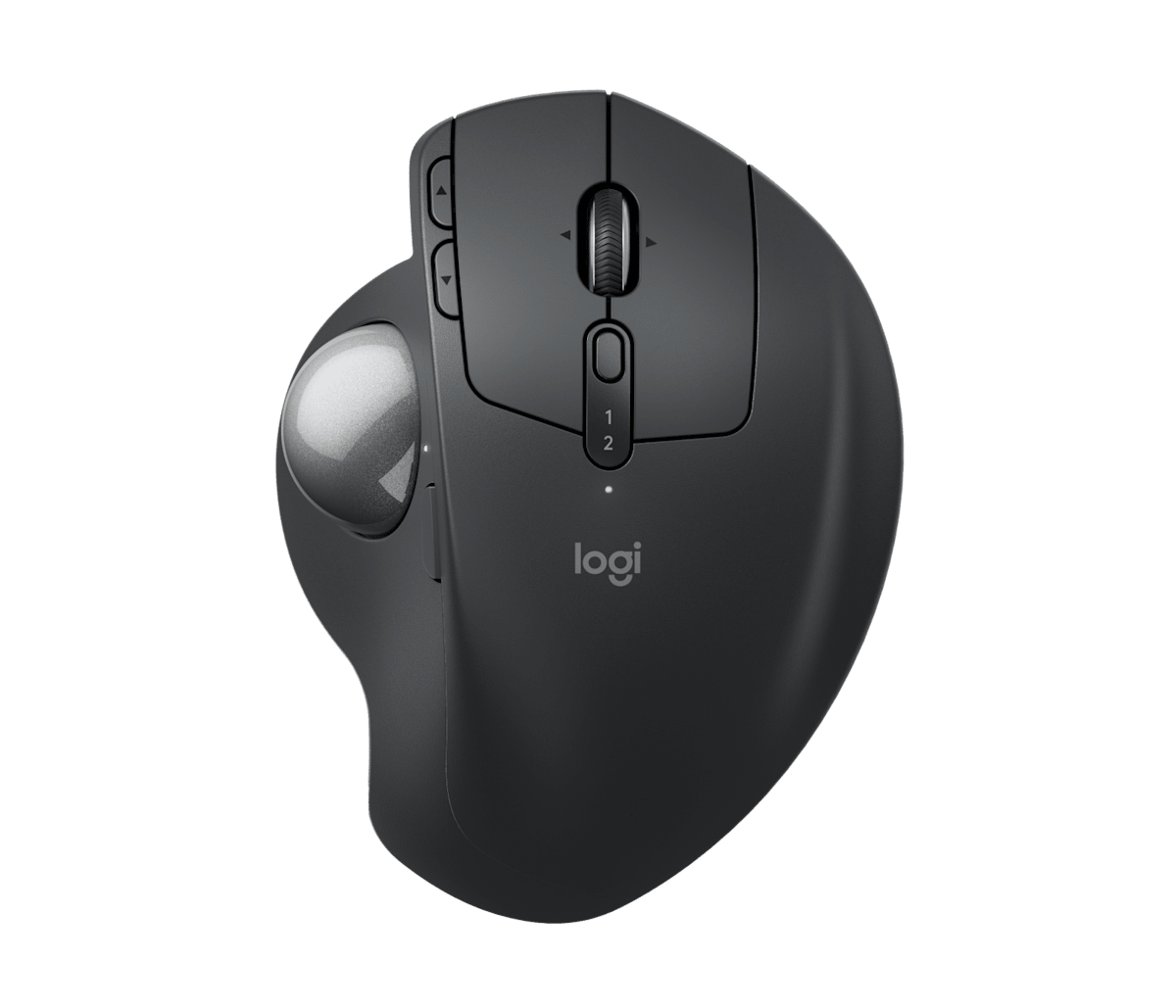
Logitech MX Ergo S wireless trackball in graphite
Best for long clicking sessions

Logitech MX Ergo S

Best for: AFK skilling, repetitive clicking, and mixing OSRS with a full workday of mouse use on the same hand.

Tradeoff: a 2048 DPI ceiling and thumb-driven ball are not built for fast, precise cursor sweeps in combat.

Your hand stays anchored and only the thumb moves, which is the opposite motion pattern of a mouse and the reason it holds up over long, repetitive sessions.

Check current price on Amazon
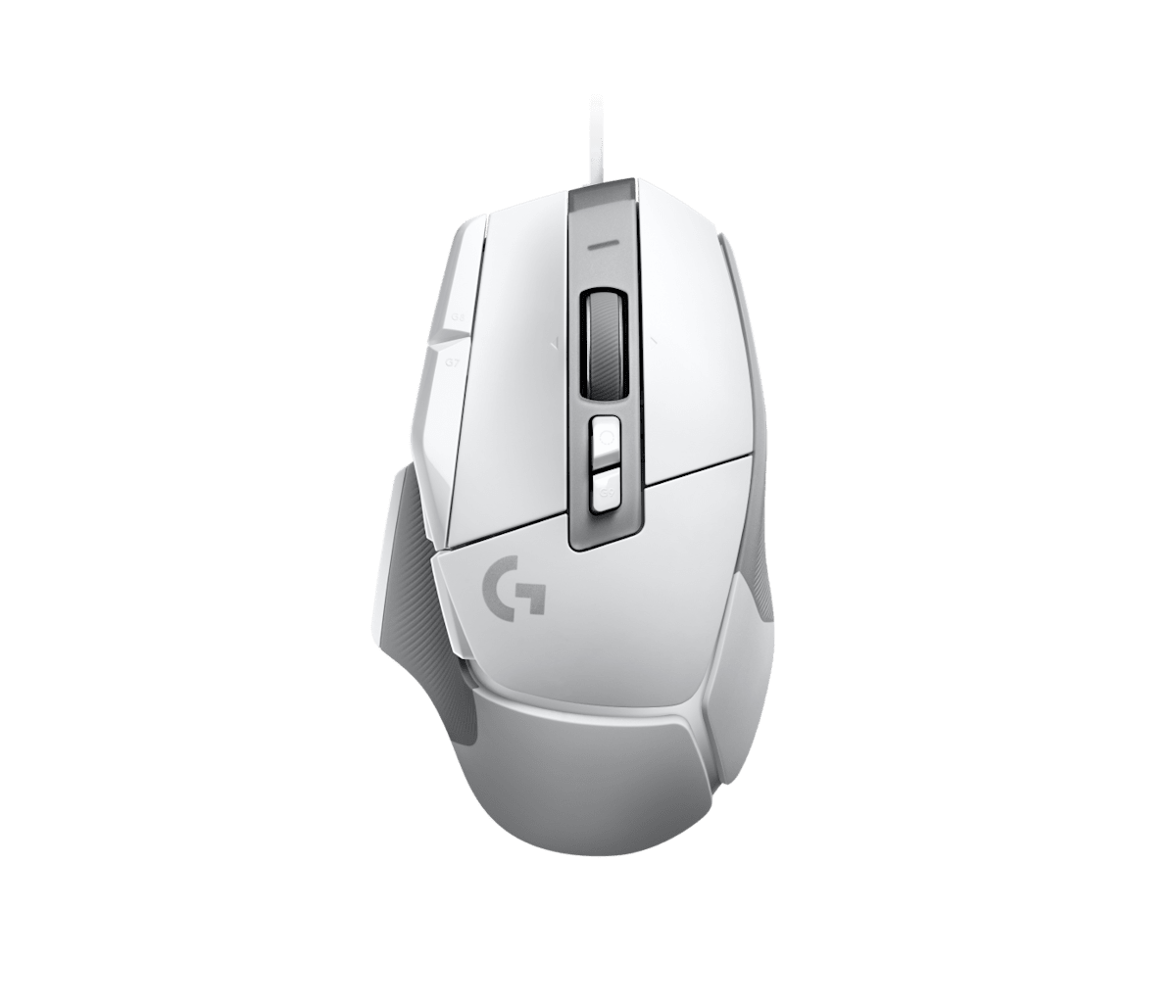
Logitech G502 X wired gaming mouse in white
Best for combat and twitch aiming

Logitech G502 X

Best for: tick-perfect combat, prayer-flicking, and any game where fast, precise cursor movement decides the outcome.

Tradeoff: it's a traditional mouse, so your whole arm and wrist do the work across a long session.

The HERO 25K sensor and LIGHTFORCE switches exist for speed and click latency, not comfort over a full workday.

Check current price on Amazon

How MX Ergo S and G502 X differ where it matters

Rows where both are equivalent are left out. Specs are as published by Logitech unless a reviewer is credited.

MX Ergo S vs G502 X, decision specs
Spec MX Ergo S G502 X Edge
Input type Trackball, thumb-driven Traditional mouse, arm/wrist-driven Different motion, not a clear win
Software Logi Options+ Logitech G HUB Depends on your existing stack
Connectivity Bluetooth or USB receiver, USB-C charging Wired only MX Ergo S
Battery life Up to 4 months N/A (wired) MX Ergo S
Programmable buttons 6 13 G502 X
Weight 164 g (259 g with plate and receiver) 89 g Not comparable, different form factors

Amazon availability and bundle configuration can change. These links open the standalone MX Ergo S and G502 X listings described above.

The motion pattern is the whole story.

Where the movement happens

A mouse asks your arm and wrist to move the cursor across the desk. A trackball asks your thumb to roll a ball while your palm stays put. Neither is objectively better; they trade different kinds of fatigue for different kinds of speed. Over a short session the difference barely registers. Over thousands of repeated clicks, the exact pattern of AFK OSRS skilling, it adds up differently for each.

Precision at speed versus precision at rest

The G502 X's HERO 25K sensor and 13 programmable controls exist to move a cursor fast and land it exactly where you want, which is what tick-perfect combat and prayer-flicking demand. The MX Ergo S tops out at 2048 DPI because it isn't built for that kind of speed. It's built for controlled, repeated pointing at the same few screen regions, which is closer to clicking an inventory slot or a bank booth over and over.

One device, two different days

If your day is OSRS in the morning and spreadsheets in the afternoon, the MX Ergo S carries the same low-arm-movement benefit into both. The G502 X doesn't change behavior between tasks. It's a fast mouse If you are combat training or answering email, which is exactly why players who split time between grinding and gaming often end up owning one of each. For layout ideas on where either one sits relative to your keyboard and screen, the OSRS setup hub covers baseline desk positioning.

Is comfort or speed the priority?

AFK skilling for hours

MX Ergo S

Long, repetitive clicking sessions are exactly the motion pattern a trackball is built to absorb without moving your whole arm each time.

Splitting a day between work and OSRS

MX Ergo S

The same low-arm-movement benefit that helps in-game carries into spreadsheet and browser work for the rest of the day.

Tick-perfect combat and flicking

G502 X

The HERO 25K sensor and low-latency LIGHTFORCE switches are built for the fast, precise inputs combat demands.

Binding more actions to the mouse

G502 X

13 programmable controls give fast-paced games more inputs to map than the MX Ergo S's 6 buttons.

What neither one fixes

Neither device replaces a proper desk and chair setup. A trackball at the wrong desk height still strains your shoulder, and a fast mouse doesn't help if your wrist is unsupported. Neither is a substitute for taking breaks during long clicking sessions; comfort gear changes the kind of strain, not whether extended repetitive use has a cost. And neither one is objectively "better" in isolation. Bring the G502 X to a trackball task and it will feel just as tiring as a mouse always has; bring the MX Ergo S to a twitch-aim game and it will feel slow, because it was never built for that.

Questions people ask about the MX Ergo S vs G502 X

Is a trackball better than a mouse for clicking games like OSRS?

A trackball keeps your hand stationary and moves the cursor with your thumb, so it can cut down on the repeated arm and wrist motion that comes from thousands of clicks per hour. It is not faster or more precise than a mouse for fast target acquisition, which is why twitch-heavy combat still favors the G502 X.

Can the MX Ergo S keep up with a gaming mouse for combat?

Not for anything requiring fast, precise cursor sweeps. Its 2048 DPI ceiling and thumb-driven ball are built for controlled, repeated pointing, not quick flicks across the screen. For prayer-flicking, tick-perfect combat, or any twitch input, the G502 X's 25,600 DPI sensor and low-latency clicks are the better fit.

Does the G502 X work well for office and WFH use?

Yes, but it is still a traditional mouse: your whole arm and wrist do the work across a full workday. If you already deal with wrist or forearm fatigue from mouse use, that adds up over 8 hours of spreadsheets on top of gaming, which is the case the MX Ergo S is built for.

Is the MX Ergo S wireless?

Yes. It connects over Bluetooth or a USB receiver and charges over USB-C, rated for about 4 months per charge. The G502 X in this comparison is the wired model; Logitech also sells a G502 X LIGHTSPEED wireless version at a higher price.

How many buttons does each one have?

The MX Ergo S has 6 programmable buttons built around precise pointing and app-switching. The G502 X has 13 programmable controls, including a DPI-shift button and a hyper-fast scroll wheel, aimed at giving fast games more inputs to bind.